Numbering Settings
What is Numbering Settings?
Numbering Settings is a feature in the system that allows users to set and customize the numbers used for various transactions or documents, such as invoices, payments, or performance, within the accounting application or business system.
The main function of numbering settings is to ensure that each recorded transaction has a unique and orderly identification number. These numbers are used to track transactions systematically and to facilitate searching, grouping, and archiving of transaction data in the long term.
Numbering Settings Functions
-
Maintaining Order and Organization
With numbering settings, every transaction, whether invoice, payment, or other documents, will have an orderly number, avoiding duplicate or missing numbers. This is very important for organized administration. -
Facilitating Recording and Searching
Structured numbering makes it easy for users to track and find specific transactions based on the assigned number. For example, a specific invoice can be easily found by referring to the recorded invoice number. -
Improving Accuracy and Security
Using orderly and predictable numbers reduces the possibility of errors in transaction recording, as well as increasing transparency and accountability in the business system. -
Compliance with Standards and Regulations
Some companies or sectors may be required to follow certain regulations regarding numbering format. Proper numbering settings ensure that the company complies with applicable legal requirements or internal policies. -
Customization Flexibility
Users can customize numbering according to their business needs, such as adding numbers in front of the number or setting specific prefixes that reflect the transaction type.
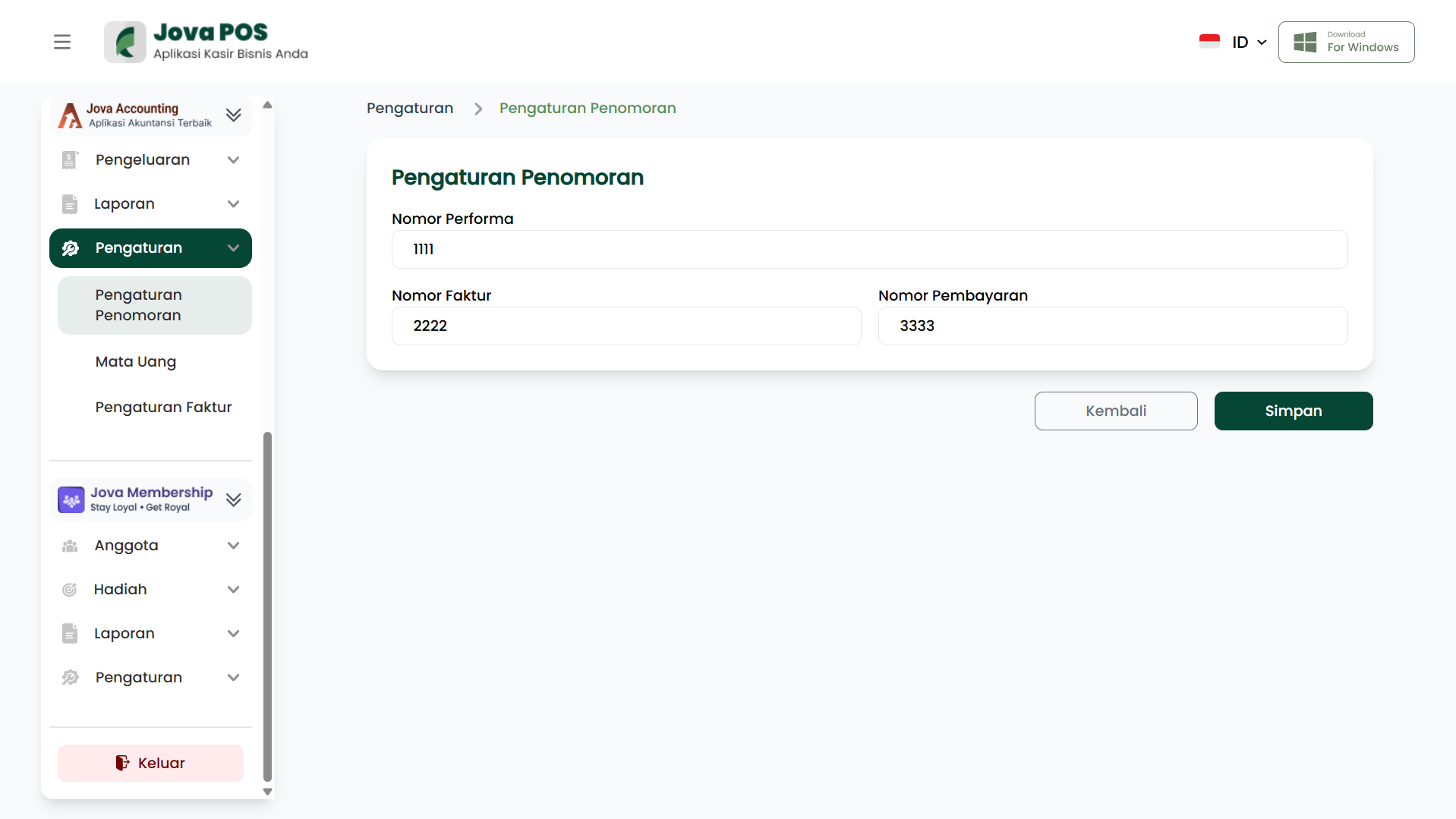
1. Opening Numbering Settings
- Open the Settings menu in the sidebar.
- Select Numbering Settings.
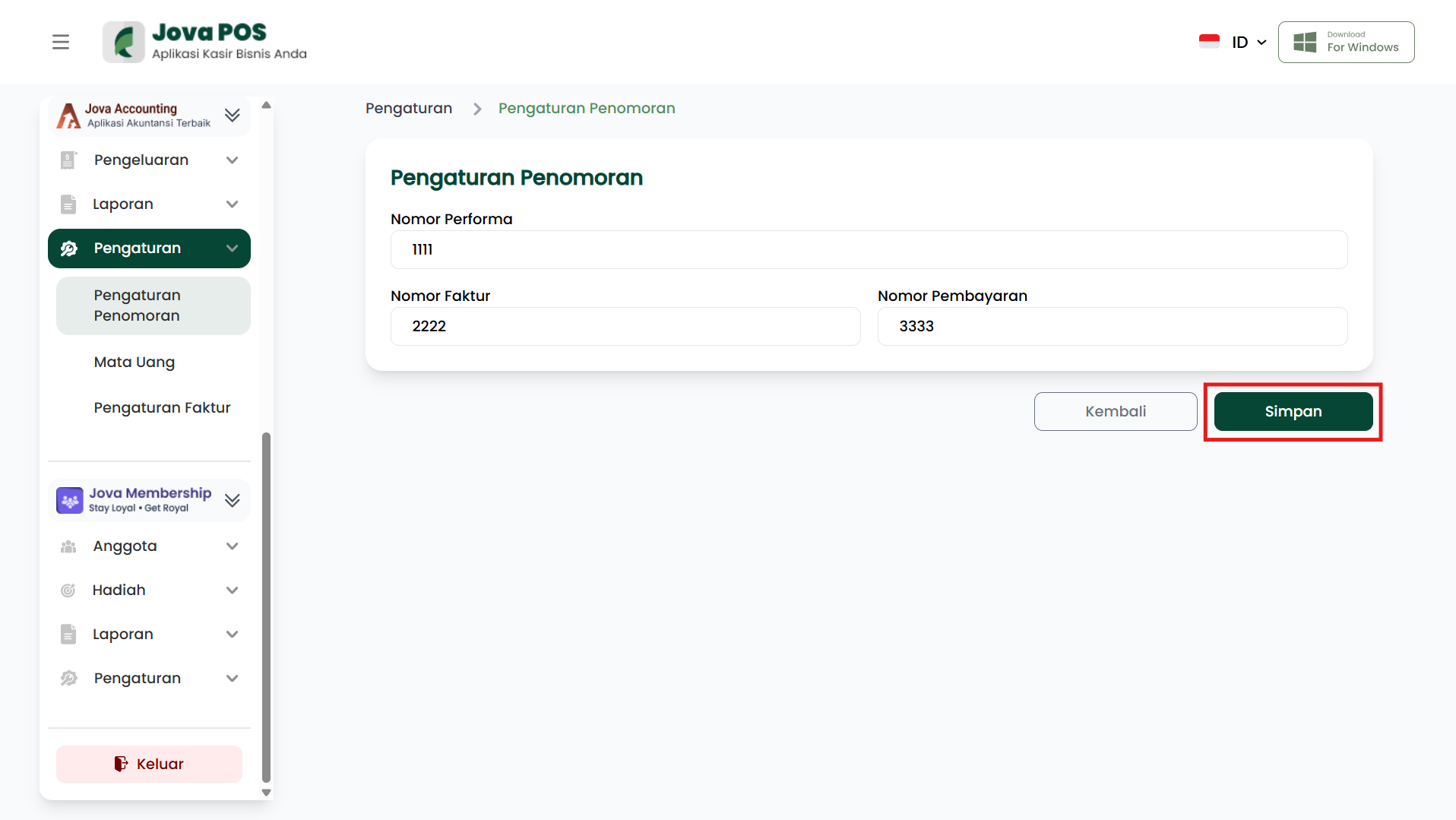
After the page opens, you can see the columns for setting the numbering used for specific transactions.
2. Setting Numbering
On the Numbering Settings page, you can set numbers for several document types, such as Performance Number, Invoice Number, and Payment Number.
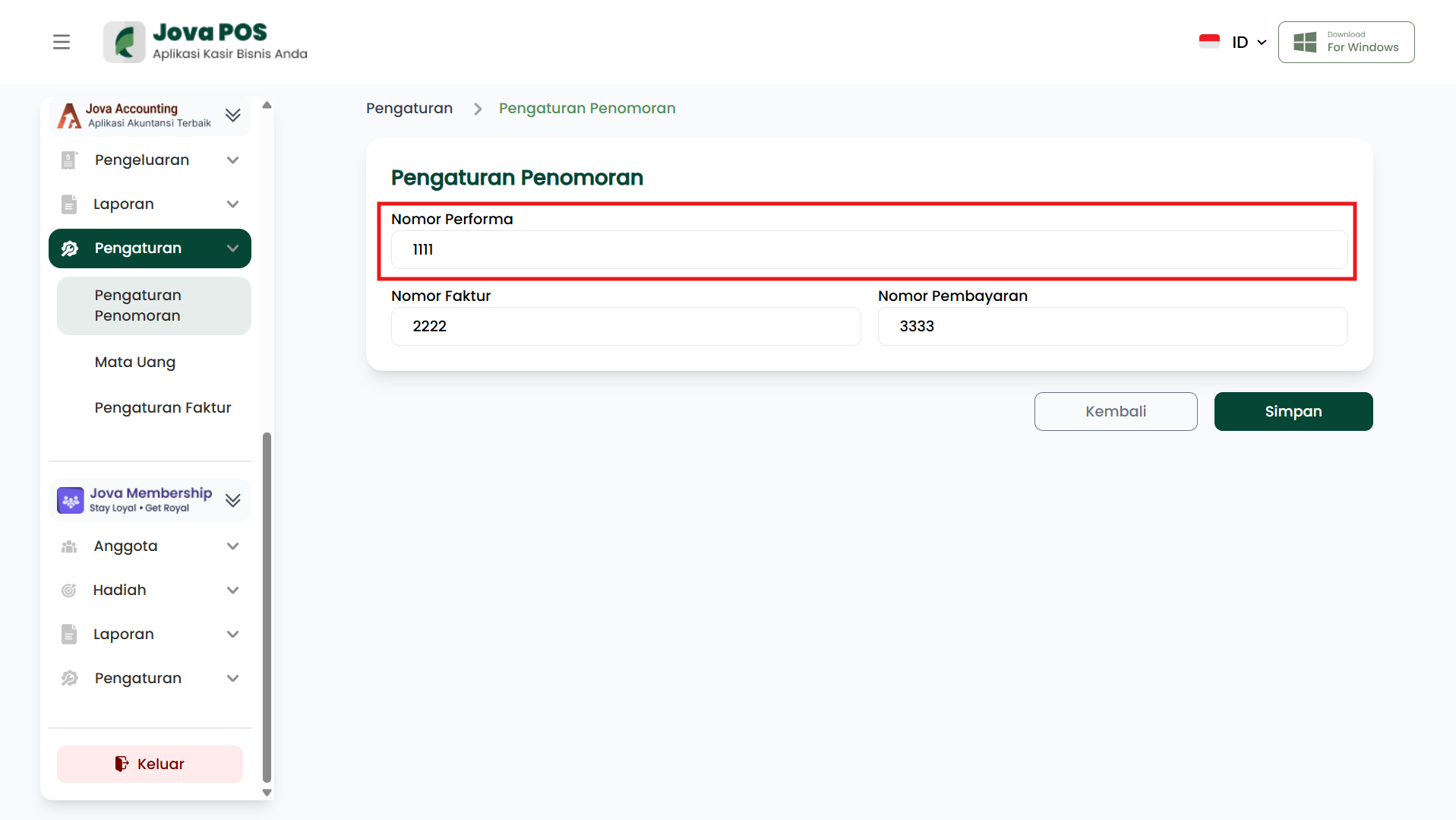
- Performance Number
Enter the starting number for performance to be used in numbering transactions.
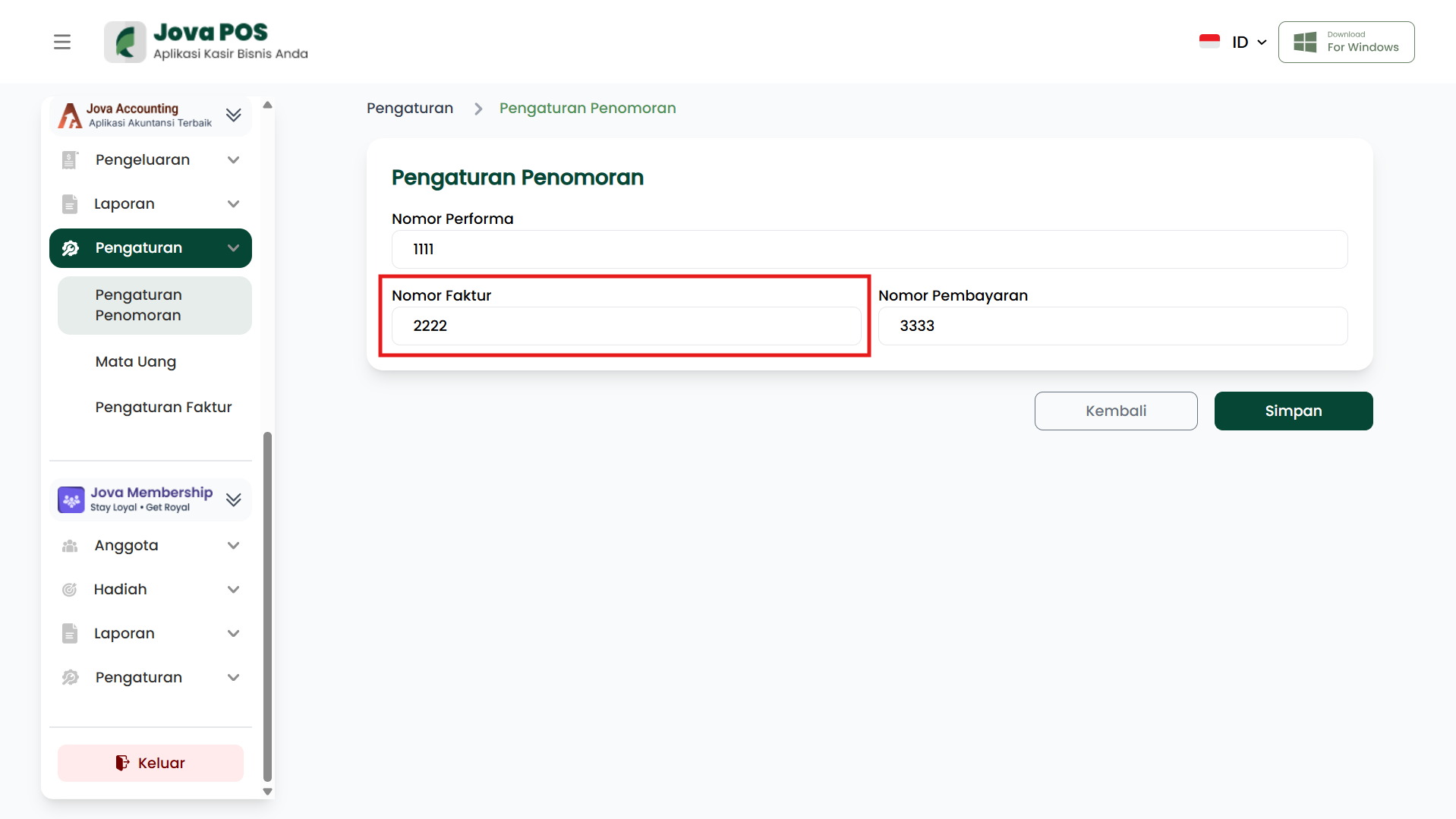
- Invoice Number
Specify the starting invoice number to be used for sales or purchase transaction numbering.
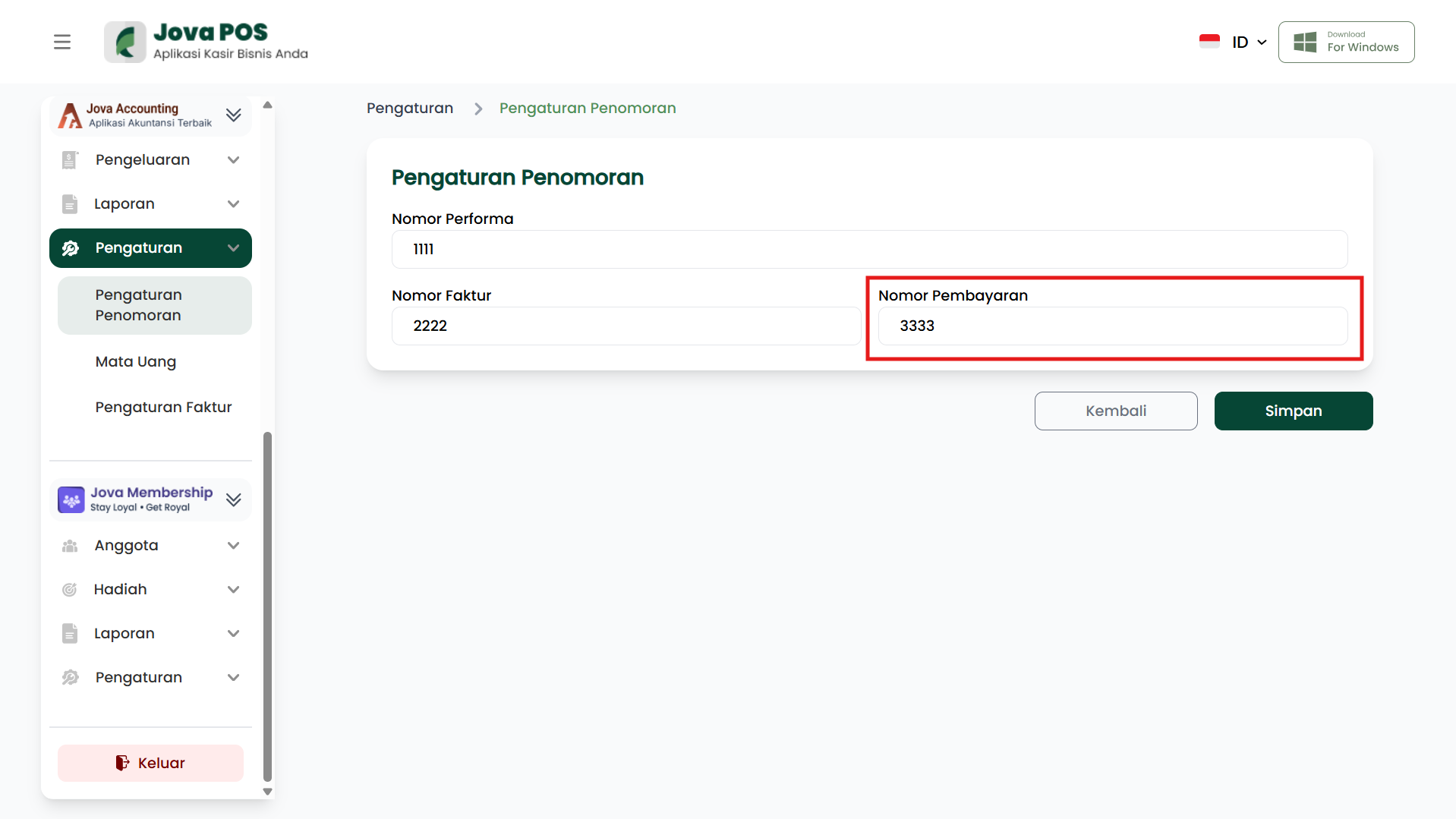
- Payment Number
Specify the payment number used to record payment transactions.
3. Save Settings
After finishing setting the required numbers, click the Save button to save the numbering settings.
These numbering settings will be used automatically for corresponding transactions in the system, such as issued invoices, received payments, and created performance records.
By using Numbering Settings, the system will be more organized and facilitate automatic transaction recording. Make sure to configure the settings according to the desired format so that transactions can be recorded properly and orderly.