Reward Redemption
The Reward Redemption menu is used to manage the reward redemption process by customers using points they have collected in the Jova POS system. Here you can view reward redemption transaction reports, manage data related to redemptions, and monitor redemption status.
1. Opening Reward Redemption Settings
To access the Reward Redemption page, follow these steps:
- Open the Reports menu in the sidebar.
- Select Reward Redemption.
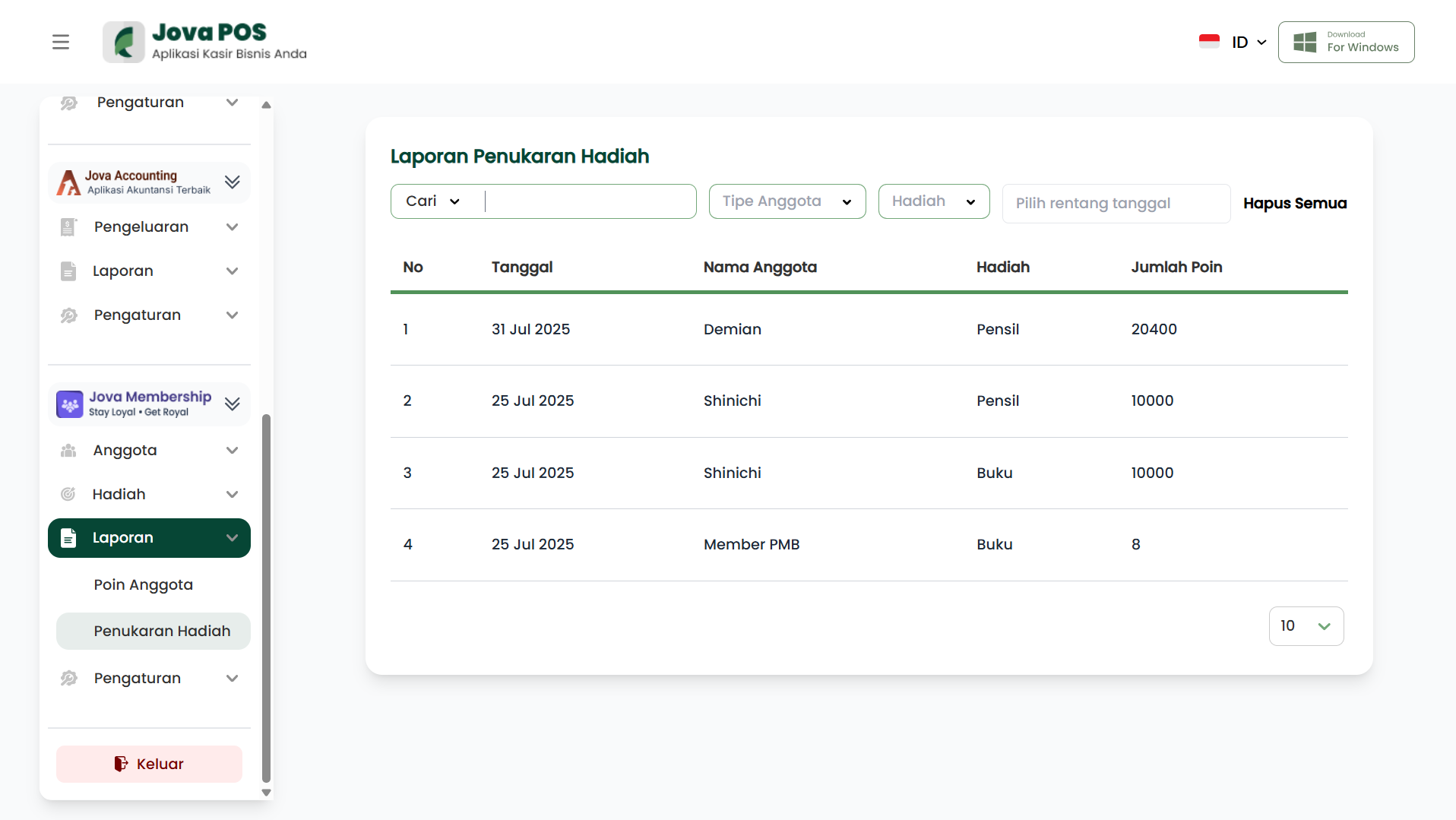
This page will display a list of reward redemptions that have been made, including detailed redemption transaction information.
2. Viewing the Reward Redemption List
On the Reward Redemption page, you can view the list of reward redemption transactions that have been made. The columns displayed include:
- No: Redemption serial number.
- Date: The date the redemption transaction was made.
- Member: The name of the member who made the redemption.
- Reward: The name of the reward redeemed.
- Points Spent: The number of points spent on the reward.
- Status: Redemption status (e.g., Successful or Failed).
- Action: Options to view redemption transaction details.
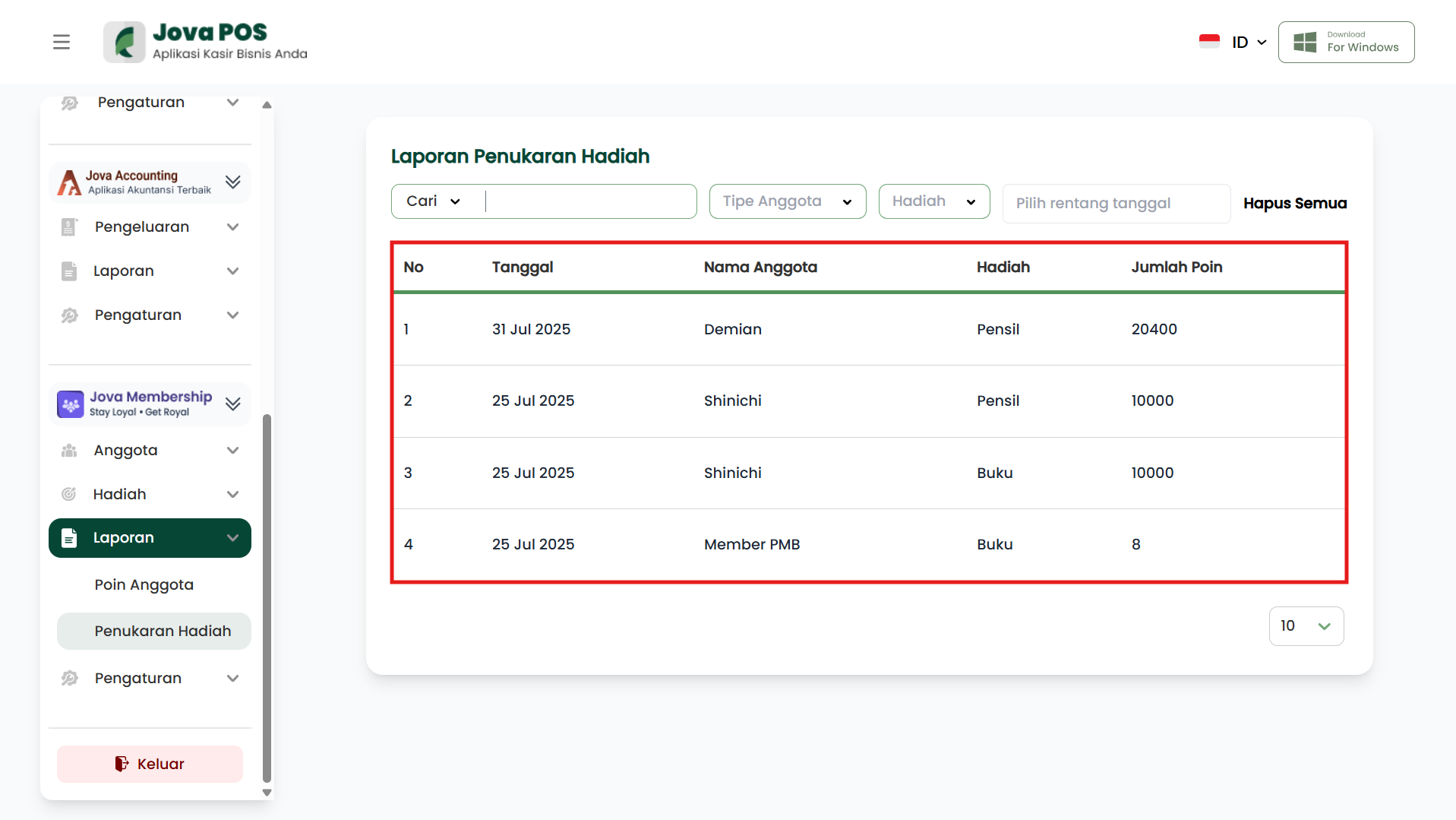
This list provides a complete overview of redemption transactions that have occurred, and allows you to monitor and evaluate the reward redemption process.
3. Filter and Search Reward Redemptions
The search and filter features on the Reward Redemption page allow you to find redemption transactions based on the following criteria:
- Member: Search for redemptions by member name.
- Reward: Search for redemptions by reward type.
- Date: Filter redemptions by date.
- Status: Filter redemptions by status (e.g., Successful or Failed).
This feature is very useful when you need to find specific redemption data or to evaluate transactions over a certain period.
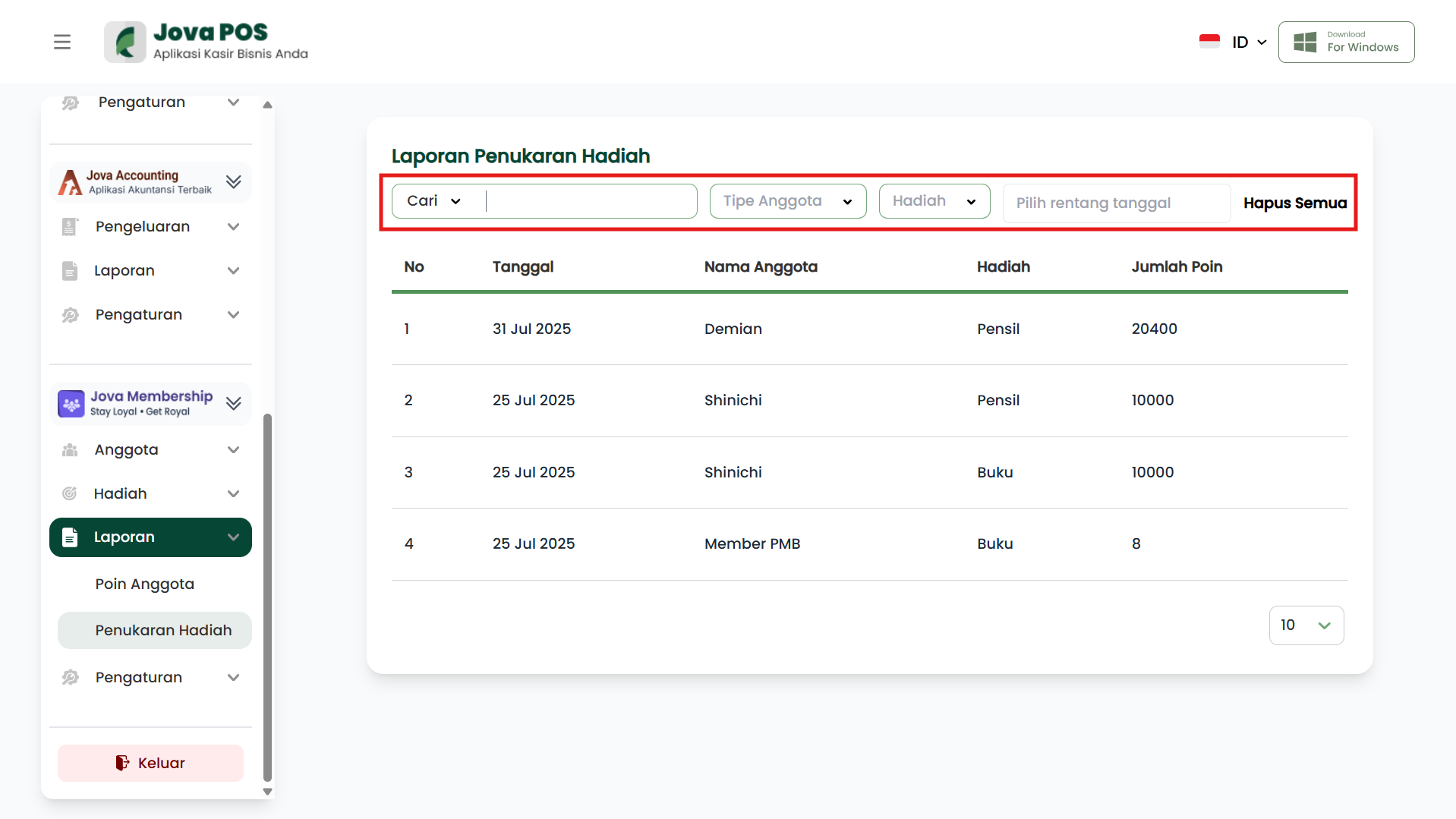
Reward Redemption Usage Flow
Login
  ↓
Reward Redemption Menu
  ↓
View Redemption List
  ↓
Search and Filter Redemptions (if needed)
  ↓
Done