Brands
Brands is part of product management in the JOVA POS application, used to group products by specific brands. This feature is very helpful in organizing products from various brands in your business.
Purpose of Using Brands
Using brands in the JOVA POS application has several benefits, such as:
- Product Grouping by Brand: Makes it easier to search for and group products by brand.
- Improved Product Management: Well-organized brands will make overall product management easier.
- Simplified Sales Process: By grouping products by brand, you can speed up the product search process during transactions.
Brand Page View
1. Brand List Display
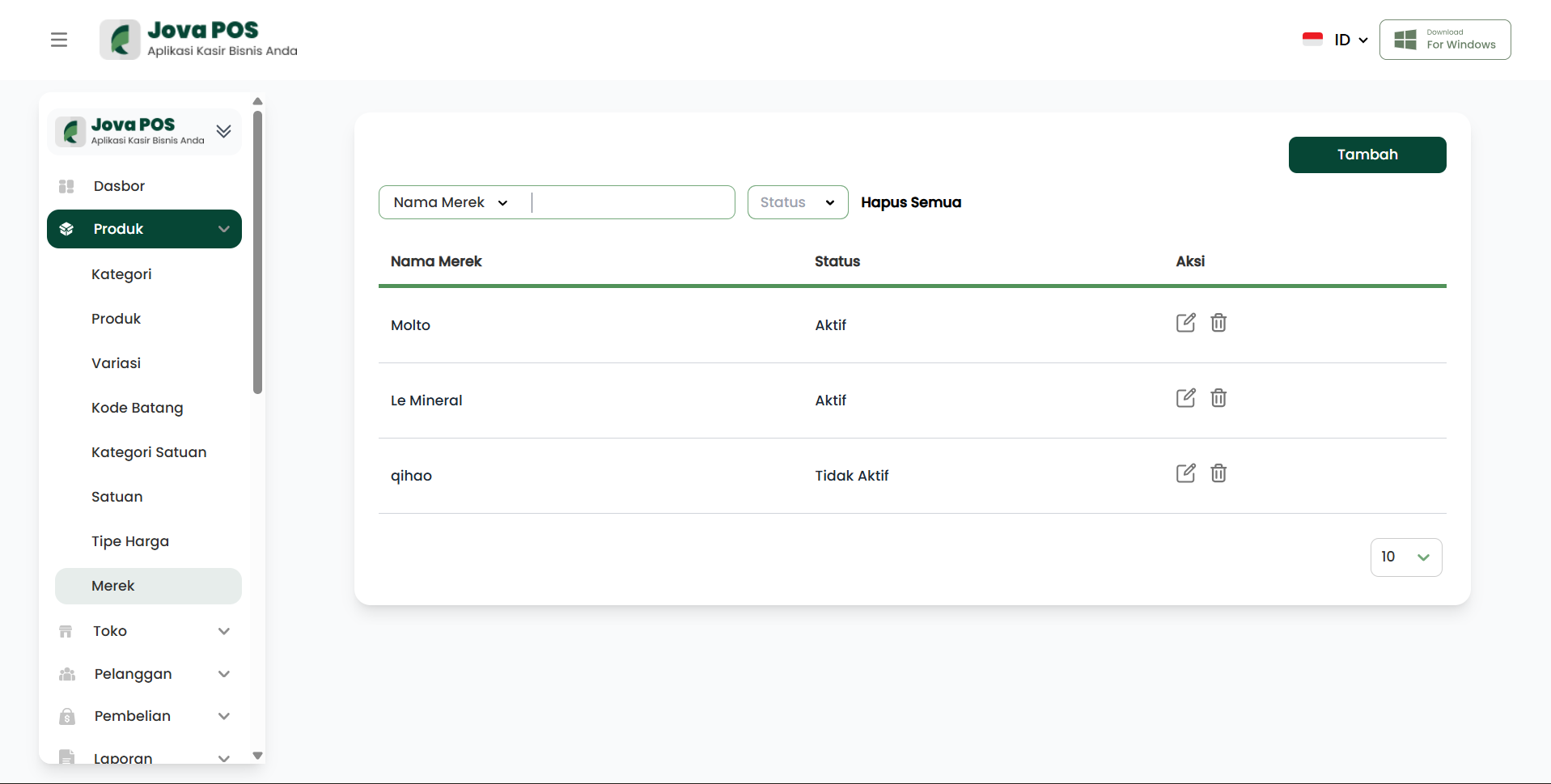
On the Brands page, you can view the list of all registered brands along with their status (active or inactive). On this page, you can also add new brands or edit existing ones.
Brand list view:
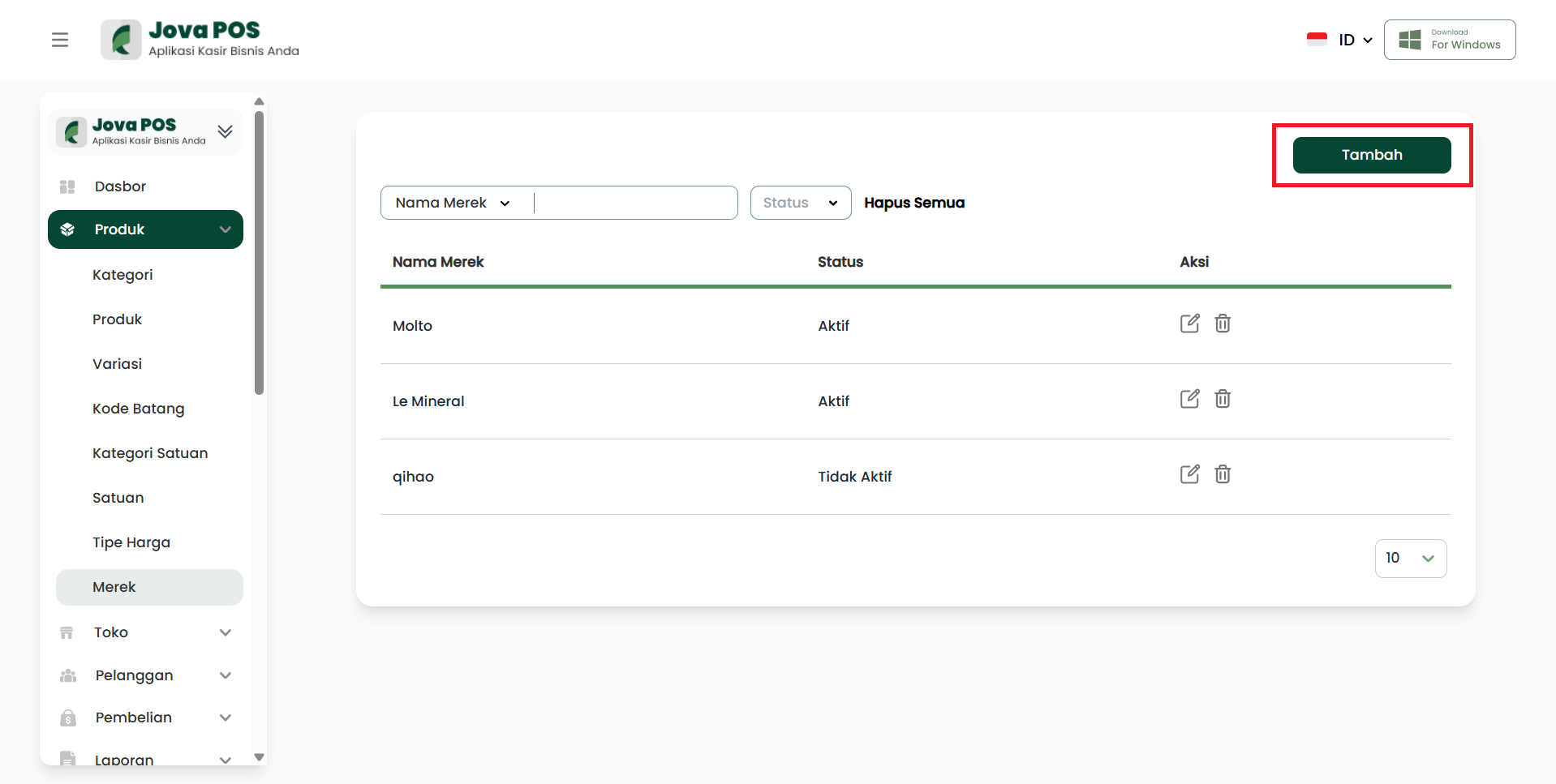
2. Click "Add" to Add a New Brand
To add a new brand, click the Add button located at the top right of the page. After that, you will be directed to enter information about the new brand.
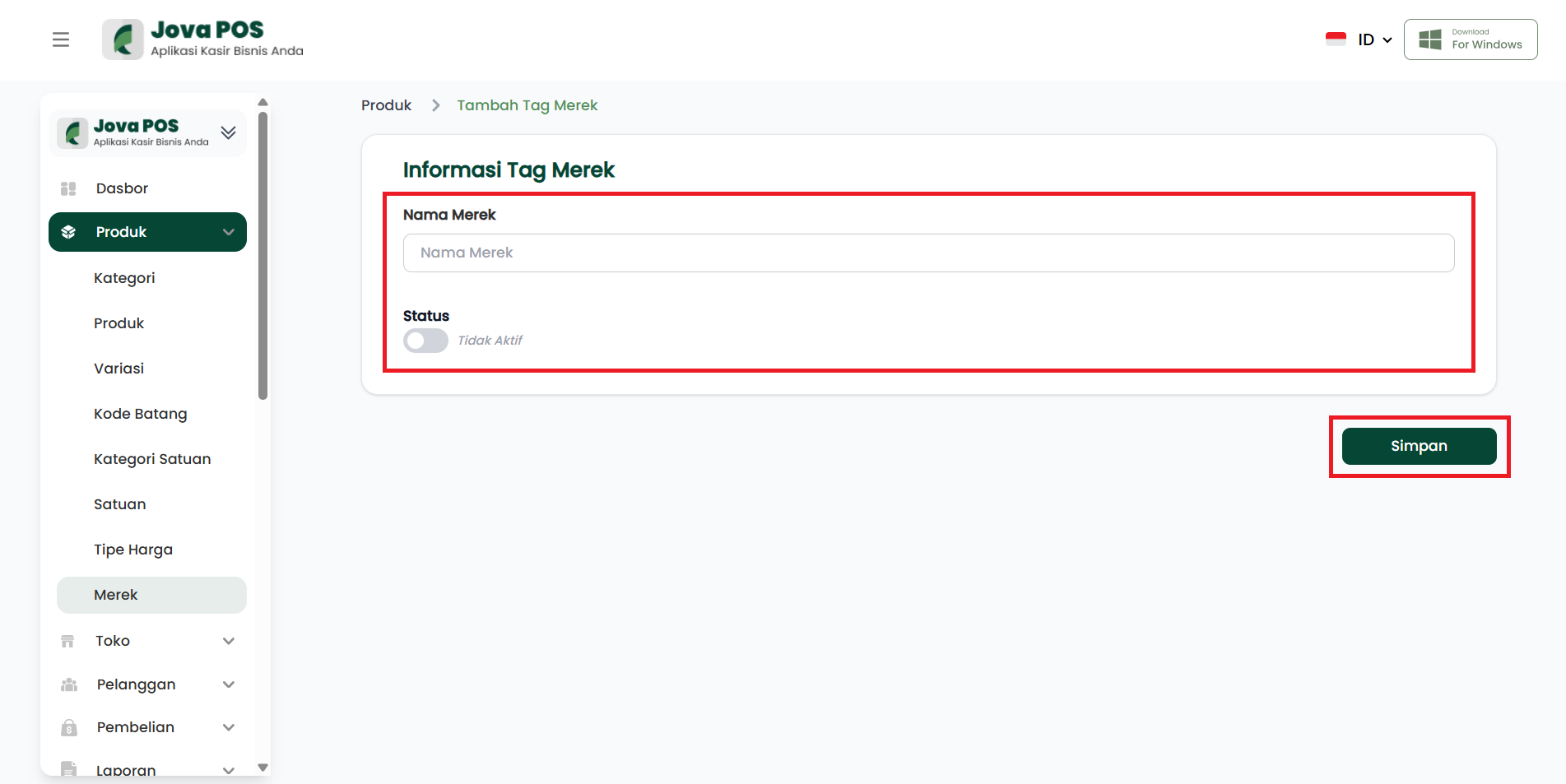
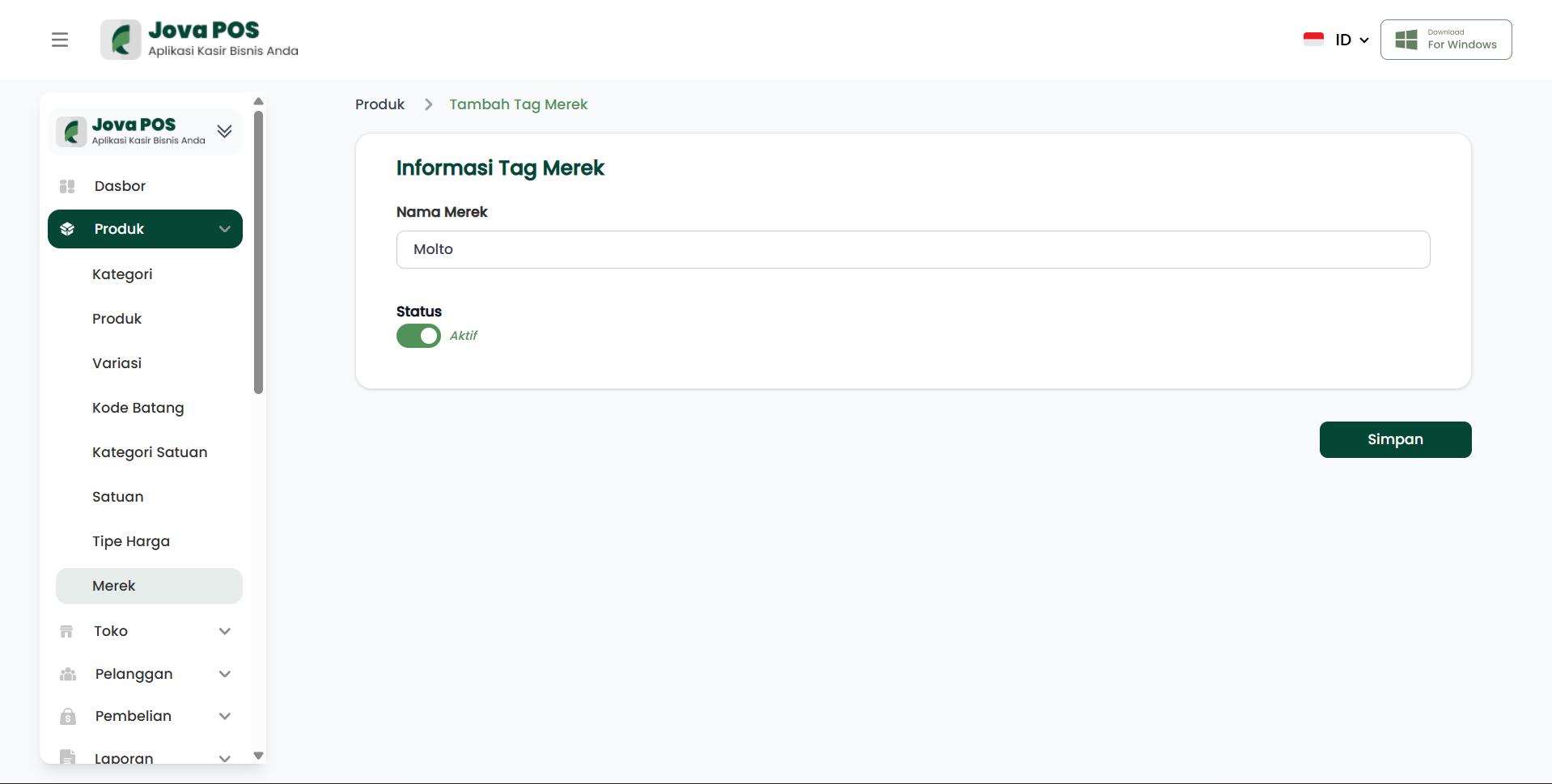
3. Fill in Brand Name and Status
After clicking Add, you will be asked to fill in the Brand Name and select the Status of the brand (Active or Inactive).
Form for adding a brand:
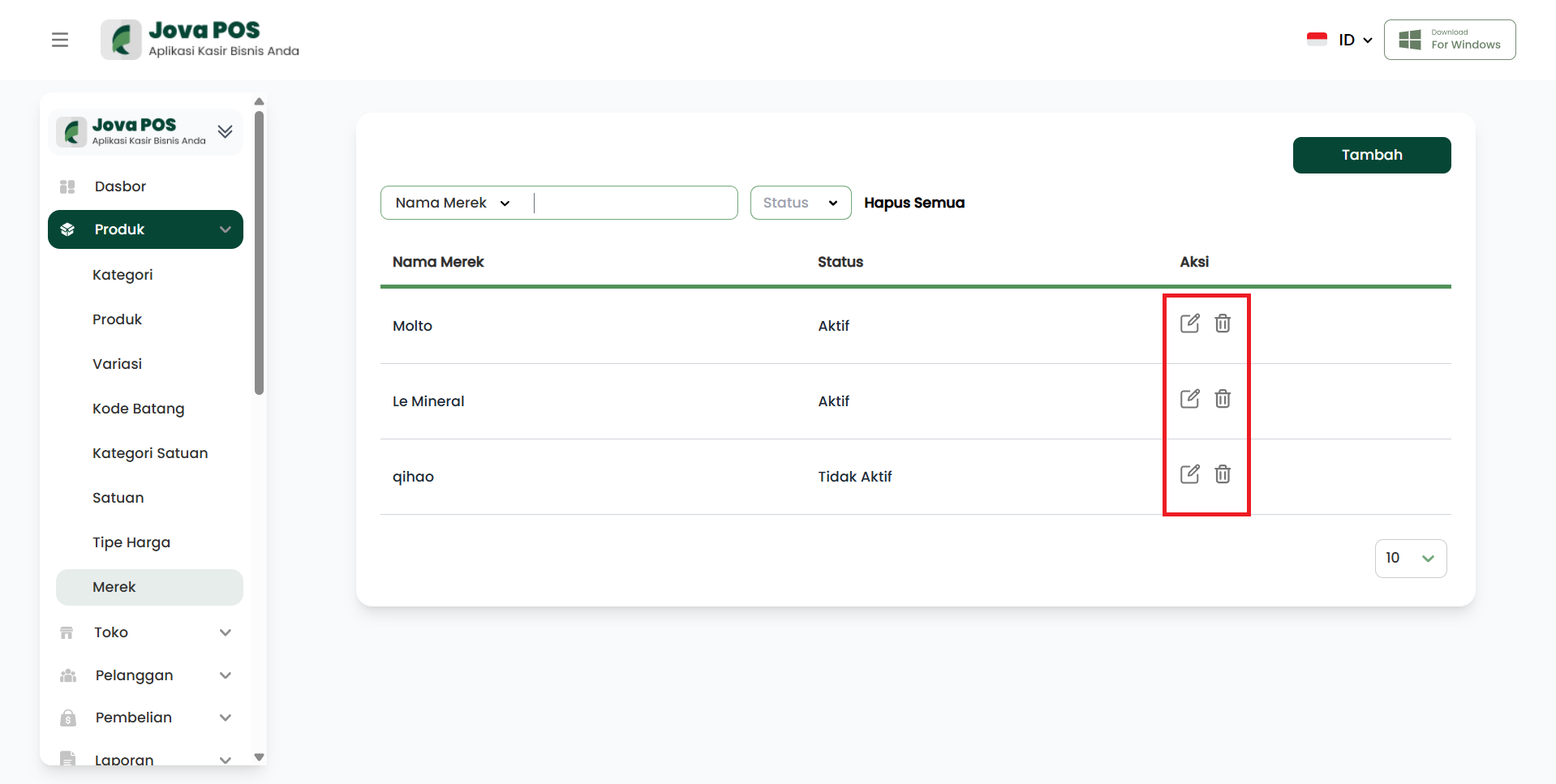
4. Edit or Delete Brand
On the brand list page, you can edit or delete existing brands using the Edit or Delete icons located to the right of each brand.
Action button view (Edit/Delete):
Steps to Add a Brand
- Click the Add button to add a new brand.
- Fill in the Brand Name and select the Status (Active/Inactive).
- Click Save to save the added brand.
Benefits of Using Brands
- Better Product Organization: Well-grouped brands make it easier to find products in the store or warehouse.
- Simplified Stock Management: By knowing product brands, you can more easily manage stock by brand category.
- Increased Professionalism: Using clear brands shows professionalism in managing your products and business.
Conclusion
The Brands feature in JOVA POS makes it easy to group products by brand and simplifies management and product search. With an organized brand system, transaction processes and stock management become more efficient.
Troubleshooting
- Cannot Add Brand: Make sure you fill in all required information, such as brand name and selecting the status.
- Brand Not Visible After Adding: Make sure the added brand has an Active status and try refreshing the page.