Stores
Stores is a feature in the JOVA POS application that allows you to manage information related to stores or business branches. You can enter store details such as name, address, contact, as well as settings related to transactions and store status.
Adding and Managing Stores
1. Store List Display
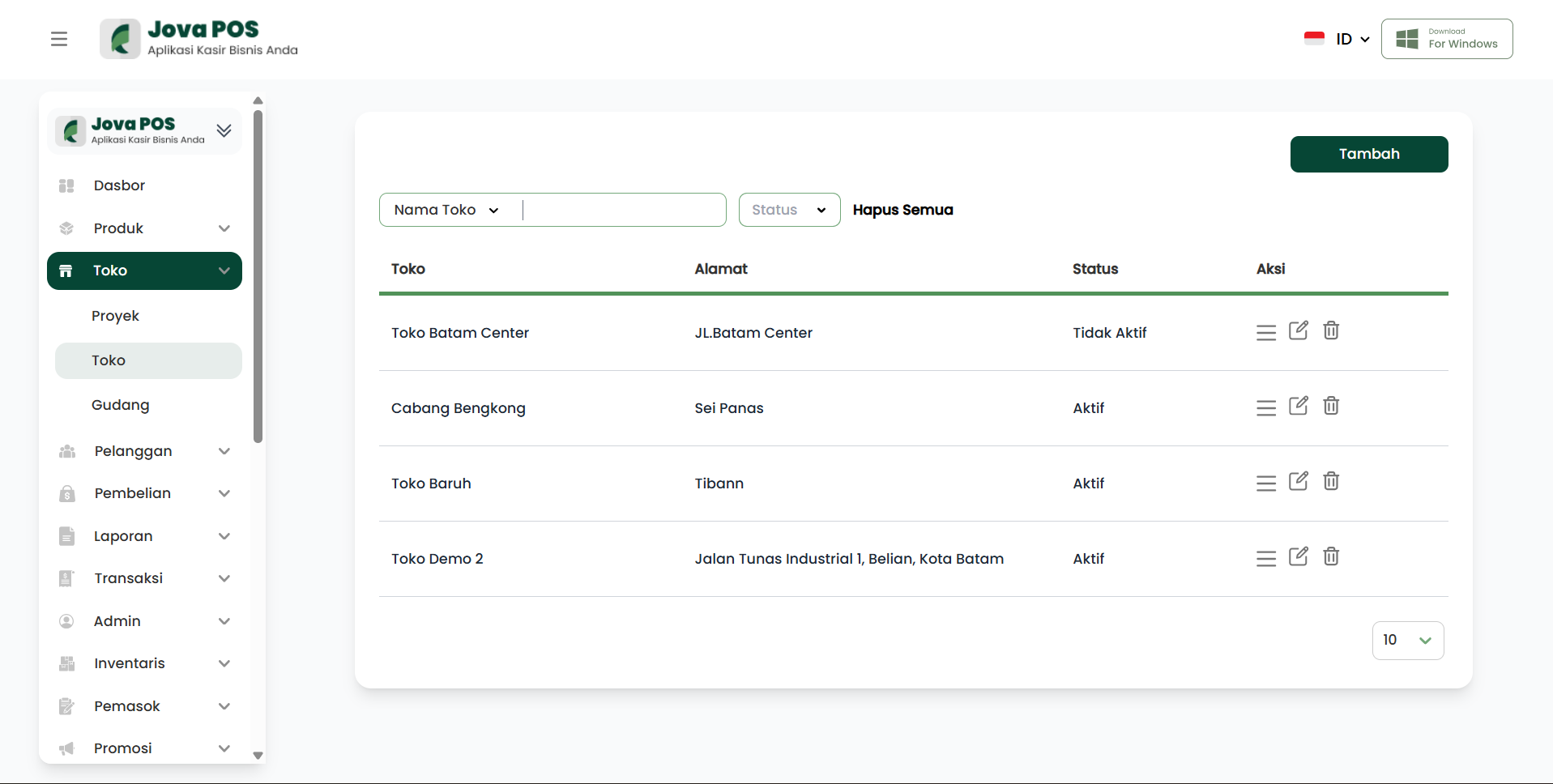
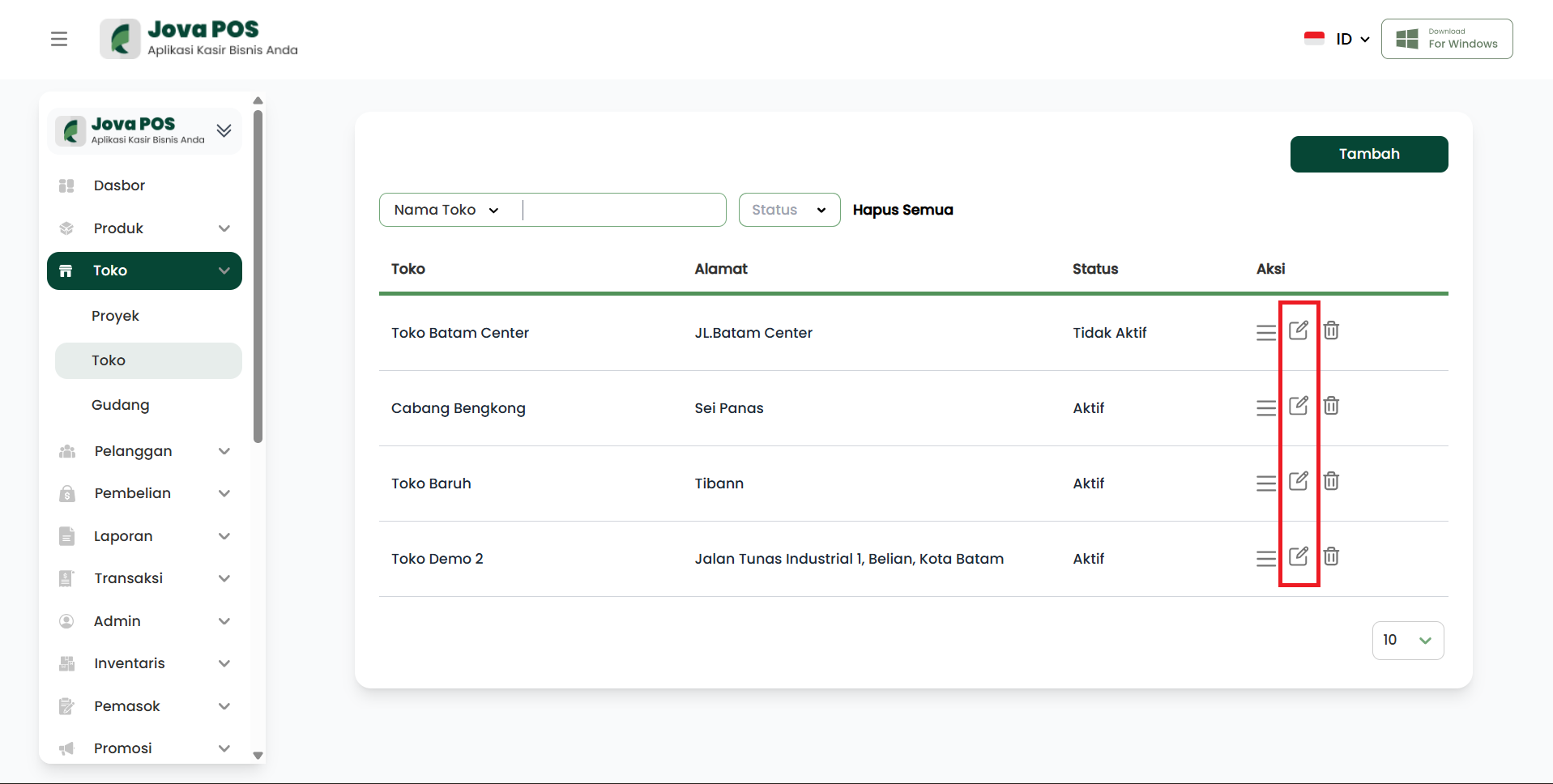
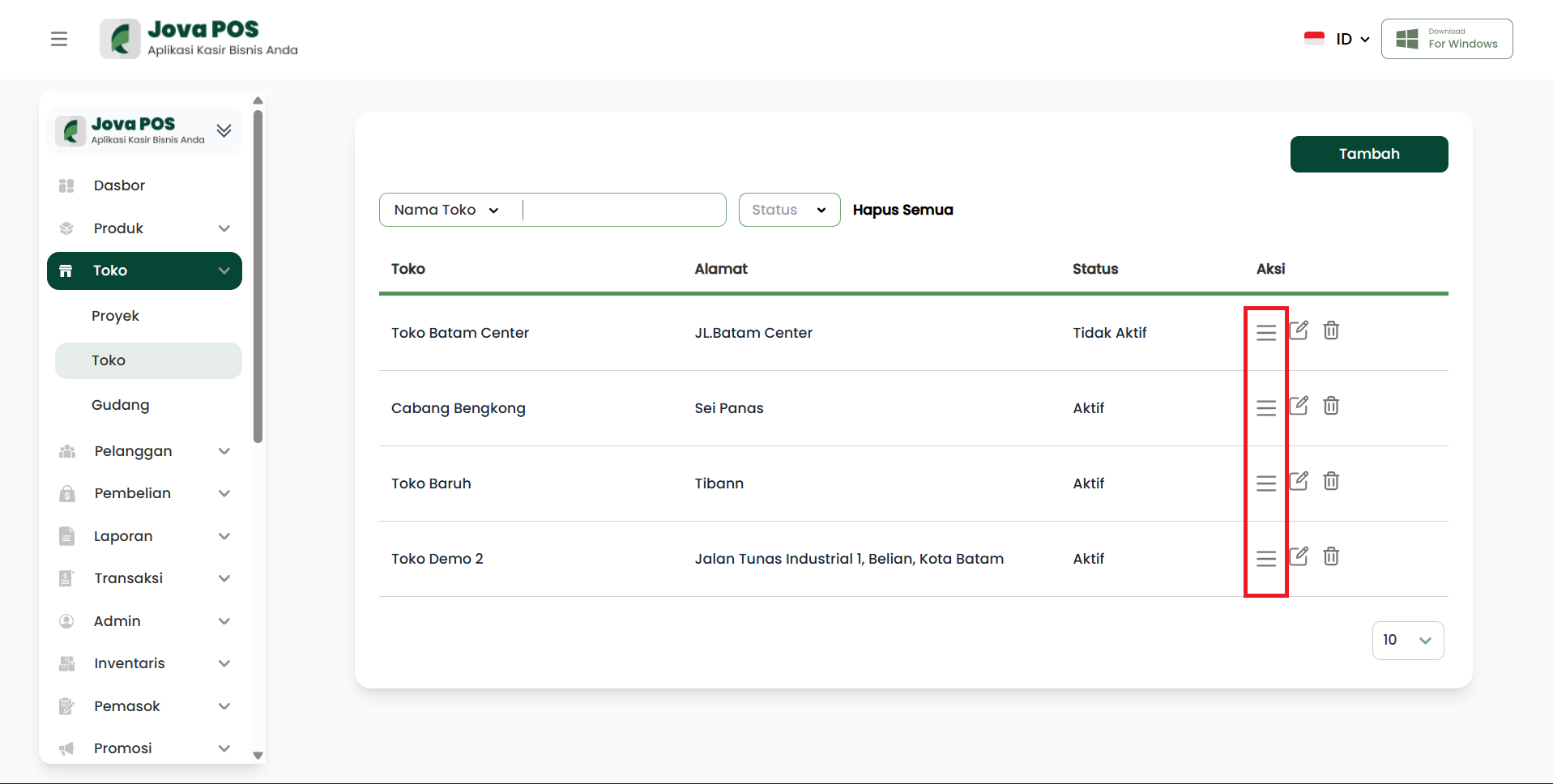
On the Stores page, you will see a list of registered stores. Here you can view the store name, address, store status, and also perform actions such as editing or deleting stores.
Store list view:
2. Adding a New Store
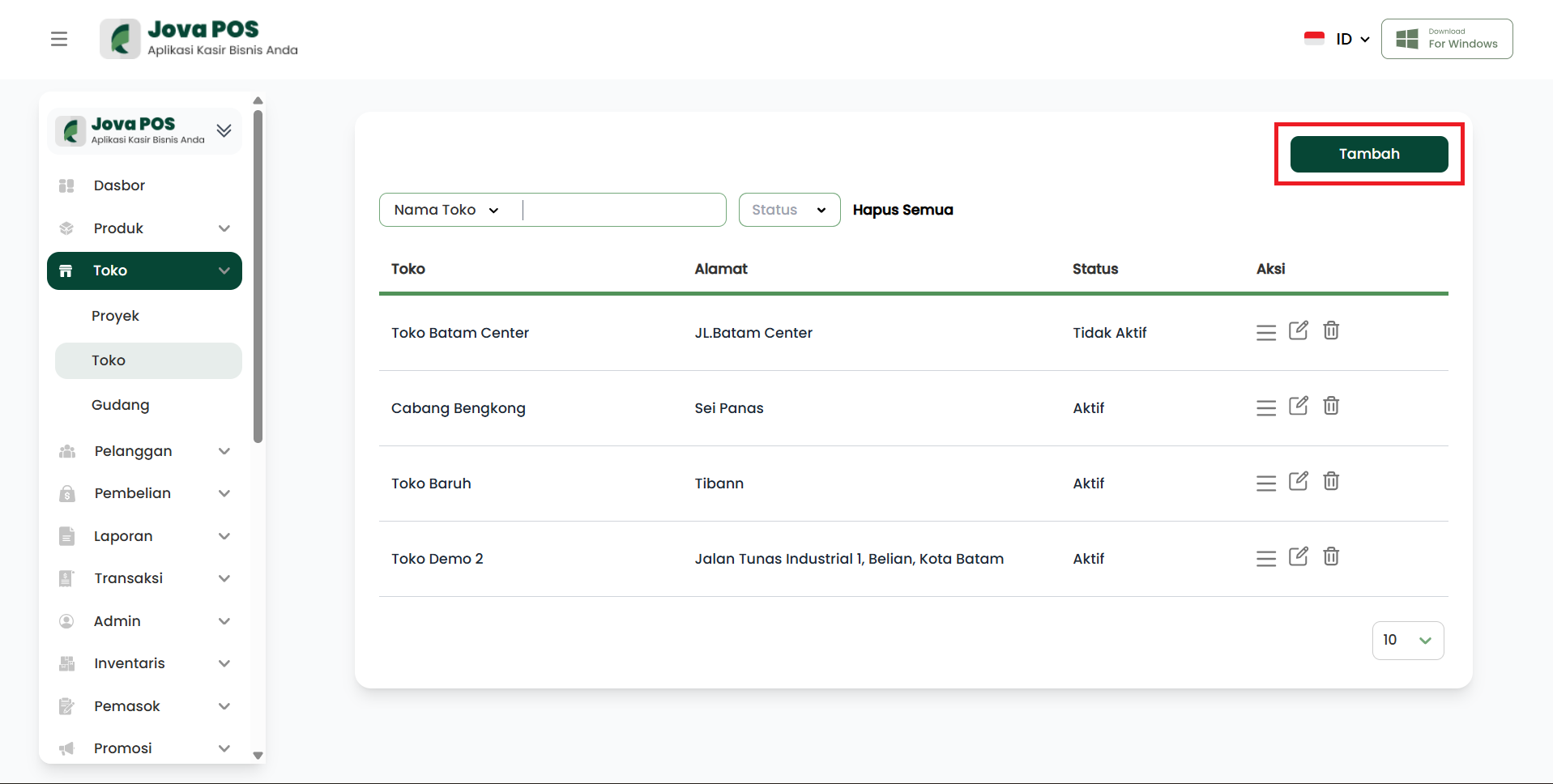
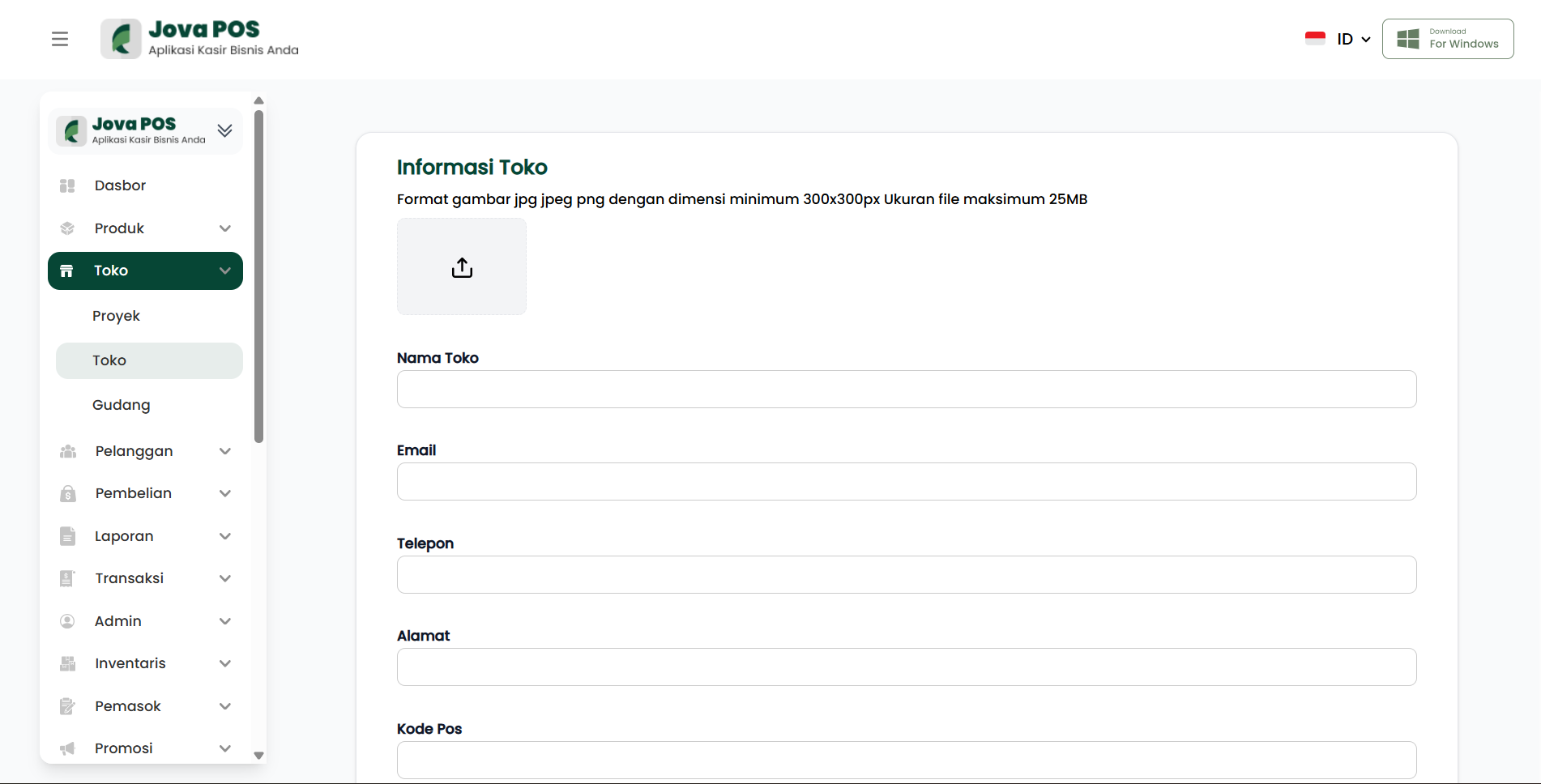
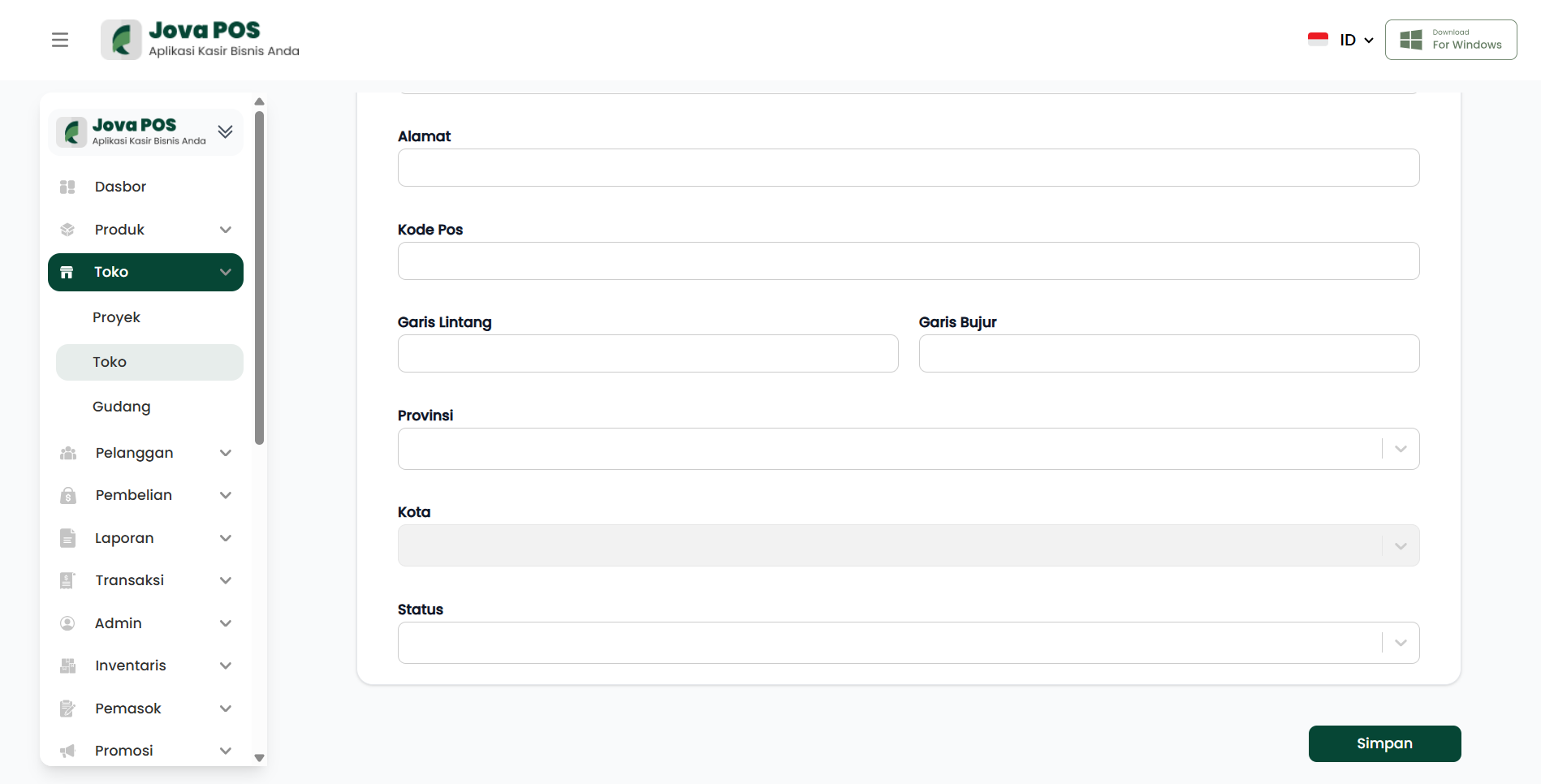
To add a new store, click the Add button located at the top of the Stores page. After that, you will be directed to a page to fill in complete information about the new store.
Add store page view:
3. Editing a Store
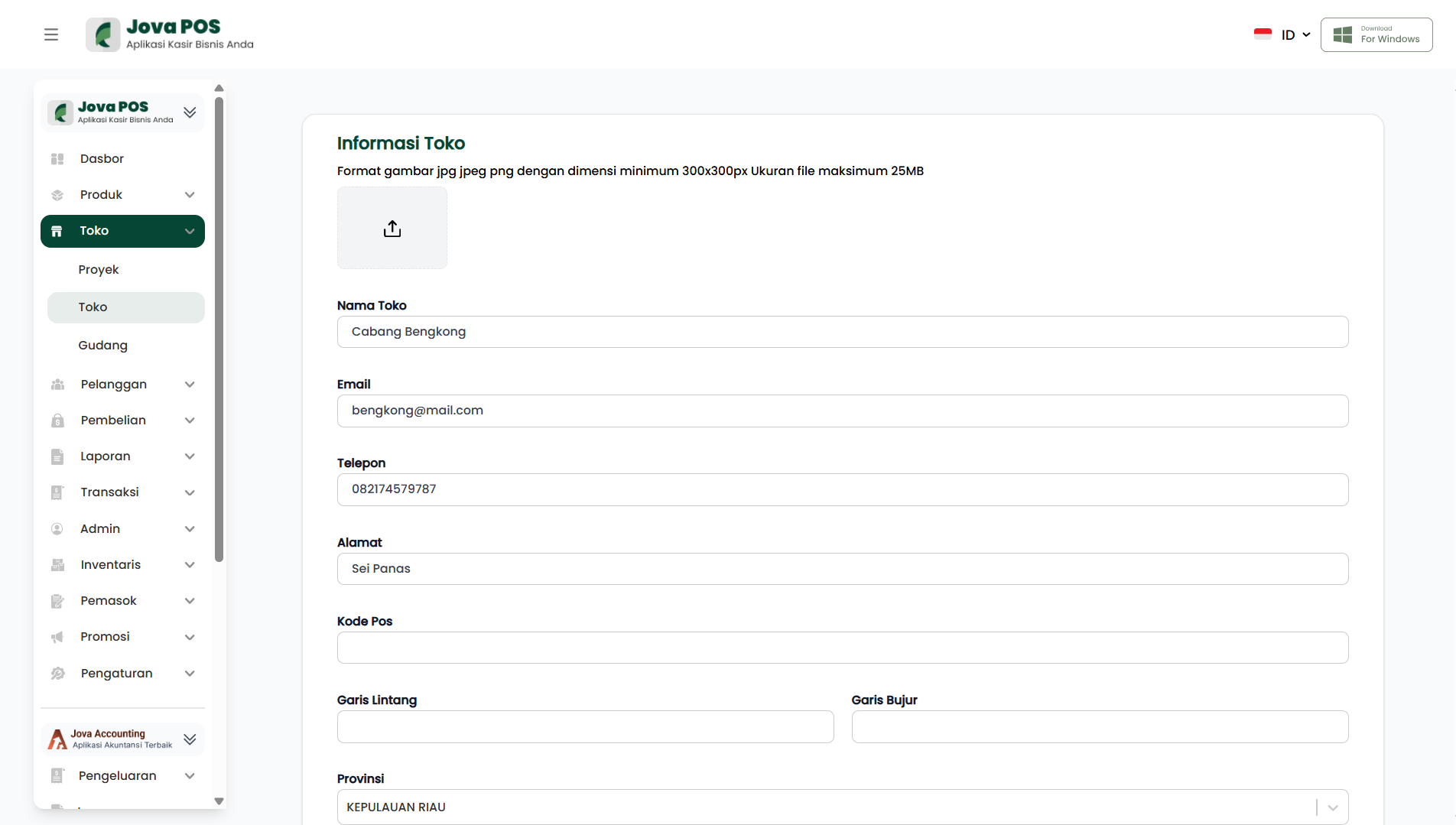
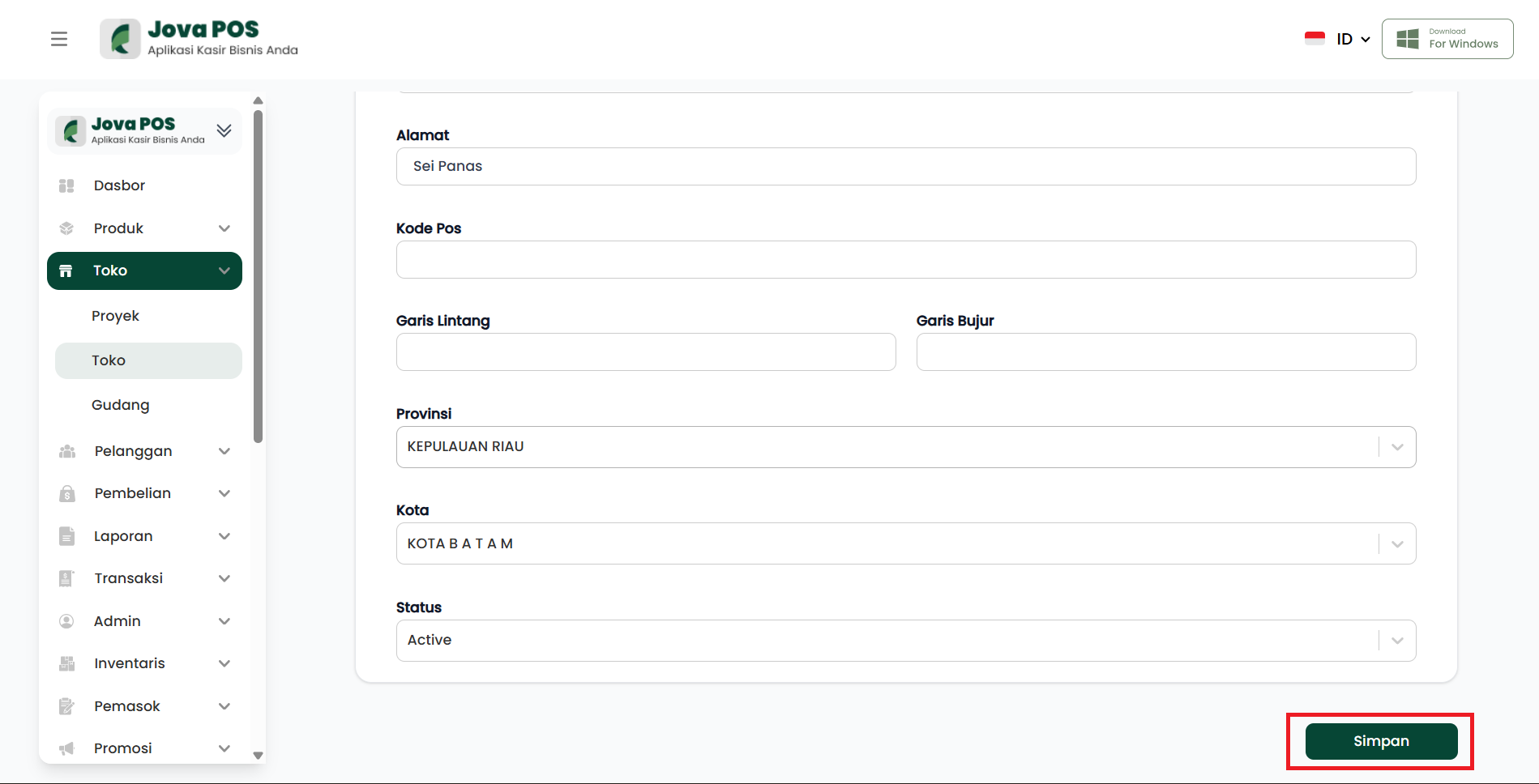
To change store information, click edit in the action column to the right of the store name you want to edit. You can change various store-related information such as name, address, and store status.
Edit store page view:
4. Activating/Deactivating a Store
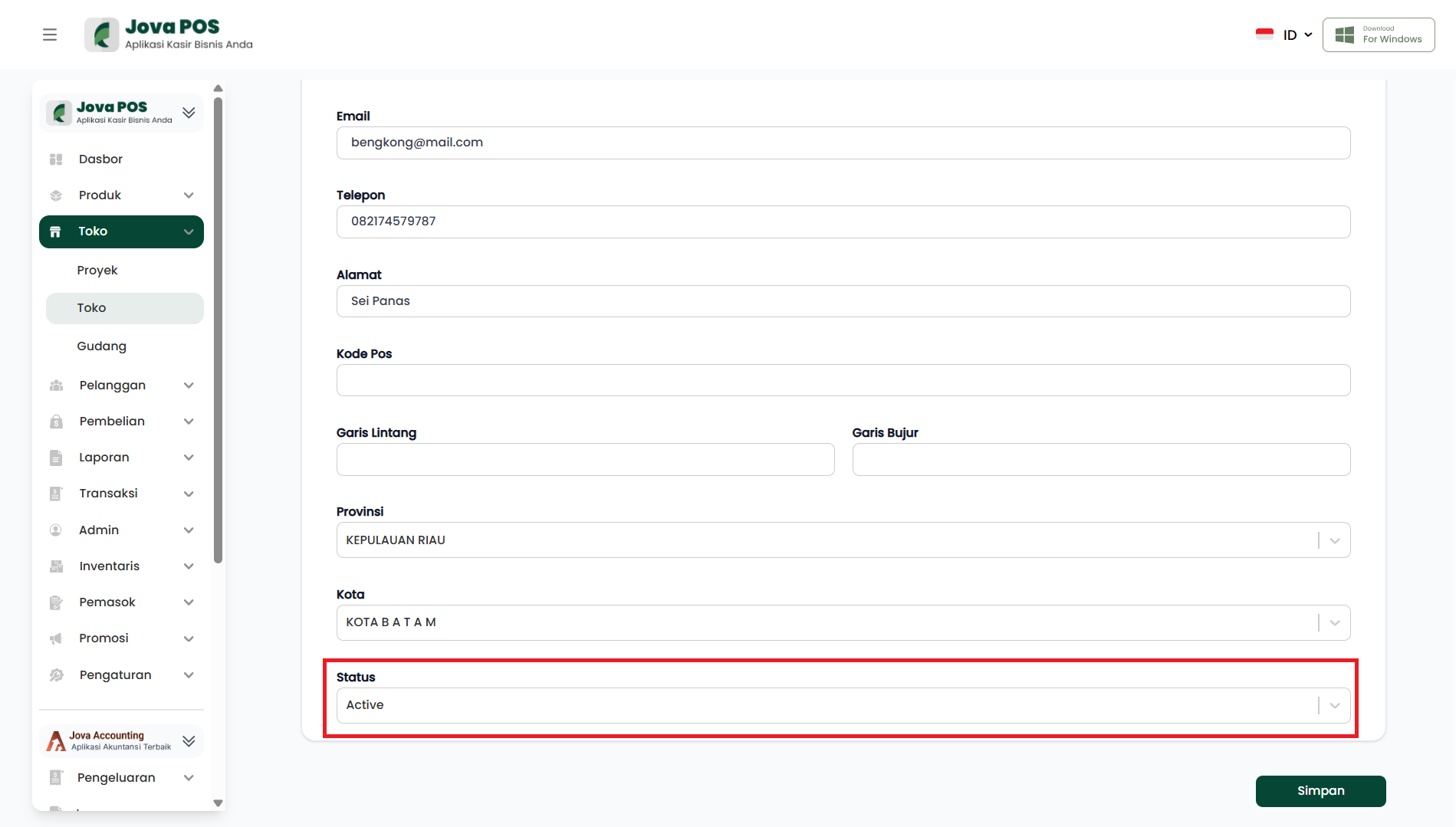
After entering or changing information, you can set the store status. Select Active if the store is operating, or Inactive if the store is temporarily not operating.
Store status view:
5. Adding a Store Photo
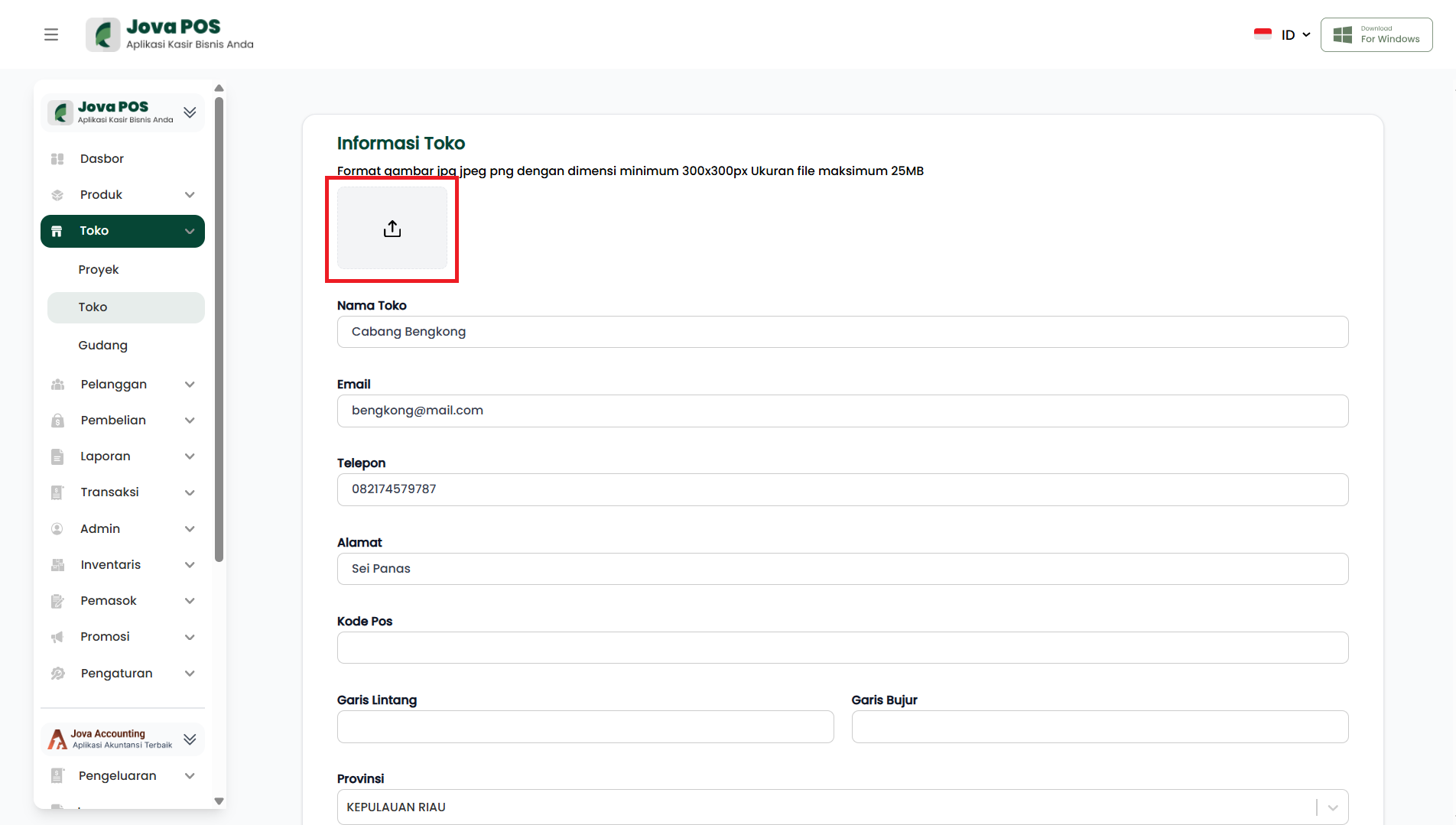
You can also add a photo for each store by uploading an image in JPG or PNG format.
Store photo upload view:
6. Saving Changes
After finishing editing the information, click the Save button to save the changes made.
7. Managing Store Payments
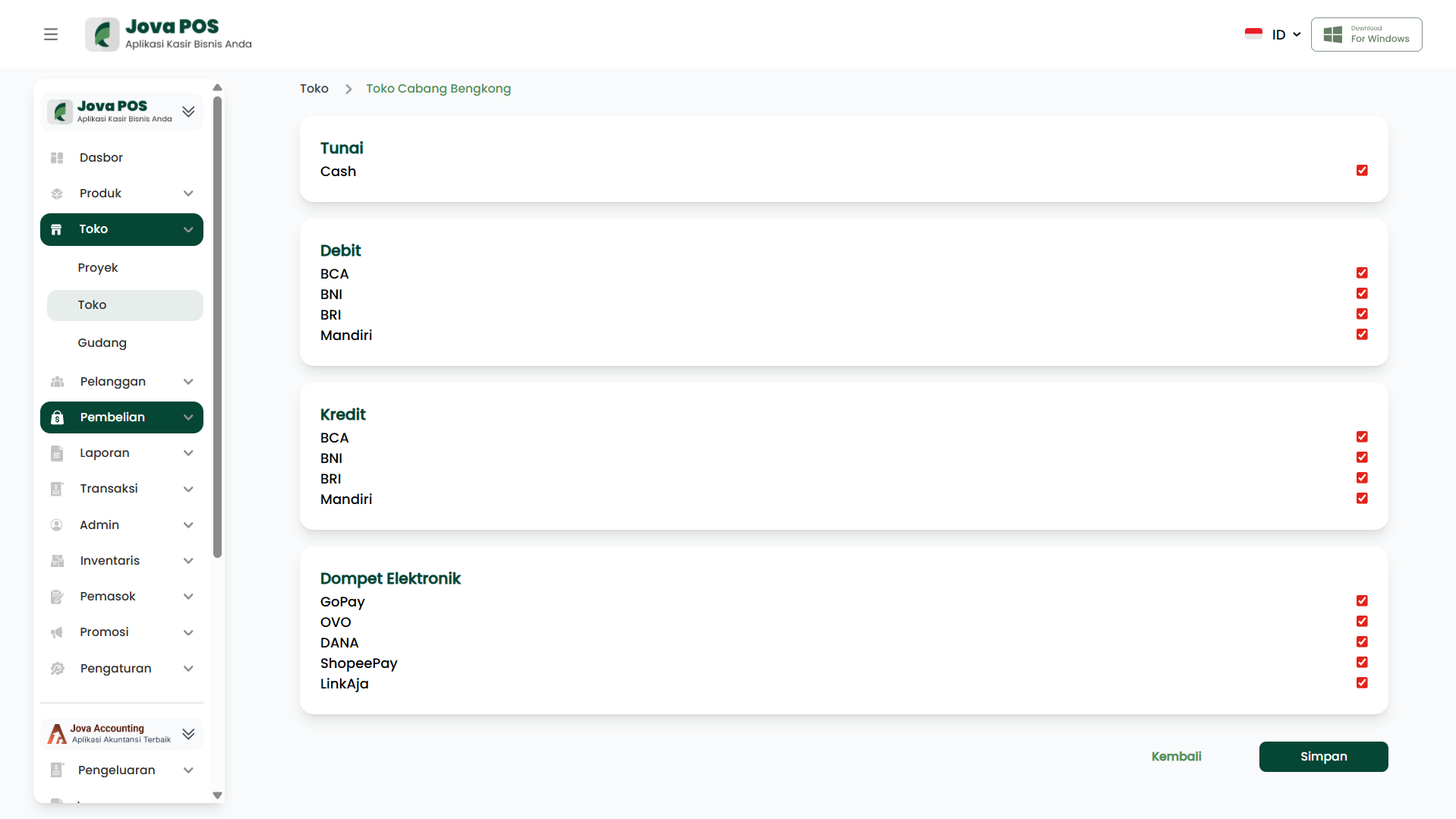
Each store can be configured with various payment methods. You can select and enable various payment methods such as:
- Cash: Payment with cash.
- Debit: Payment using debit cards such as BCA, BNI, BRI, Mandiri, etc.
- Credit: Payment using credit cards from various banks.
- E-Wallet: Payment through e-wallet platforms such as GoPay, OVO, DANA, ShopeePay, and LinkAja.
Payment method settings view:
Benefits of Managing Stores in JOVA POS
- Simplifies Branch Management: You can easily manage multiple branches or stores on one platform.
- Increased Transaction Efficiency: By managing store status and payment methods, transactions become more efficient.
- Flexible Settings: You can change store status as needed, and select payment methods that suit customer preferences.
Conclusion
The Stores feature in JOVA POS allows you to manage all information related to your stores or business branches, including status settings, payment methods, and store photos. This is very useful for improving overall store management and providing a better shopping experience for customers.