Warehouses
Warehouses are places for storing goods and products in the JOVA POS system. Through warehouse settings, users can manage storage locations for goods, whether for the main branch or other branches, and monitor whether the warehouse is active or inactive.
Purpose of Using Warehouses
Warehouses are used to:
- Manage Storage Locations: Makes it easier to manage the location of stored goods, whether in the main warehouse or other branches.
- Determine Warehouse Status: Determines whether the warehouse is active or inactive.
- Facilitate Shelf Management: Determines whether the warehouse has shelves or not, and manages items on those shelves.
Warehouse Page View
1. Warehouse List Display
On the Warehouses page, users can view the list of all registered warehouses along with their status and type.
Warehouse page view:
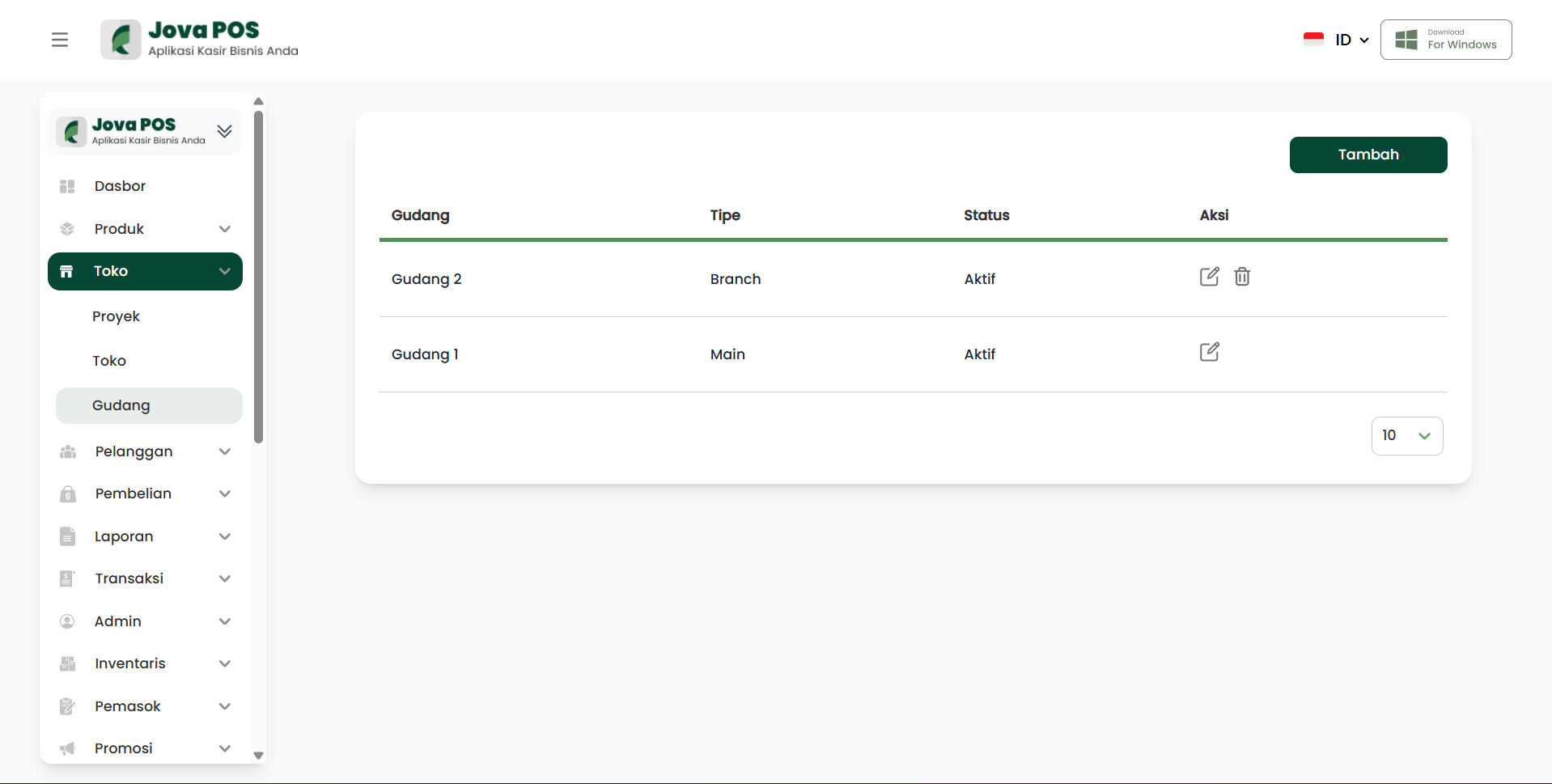
On this page, you can select the warehouse you want to manage, view its status, and edit or delete it.
2. Editing Warehouse Information
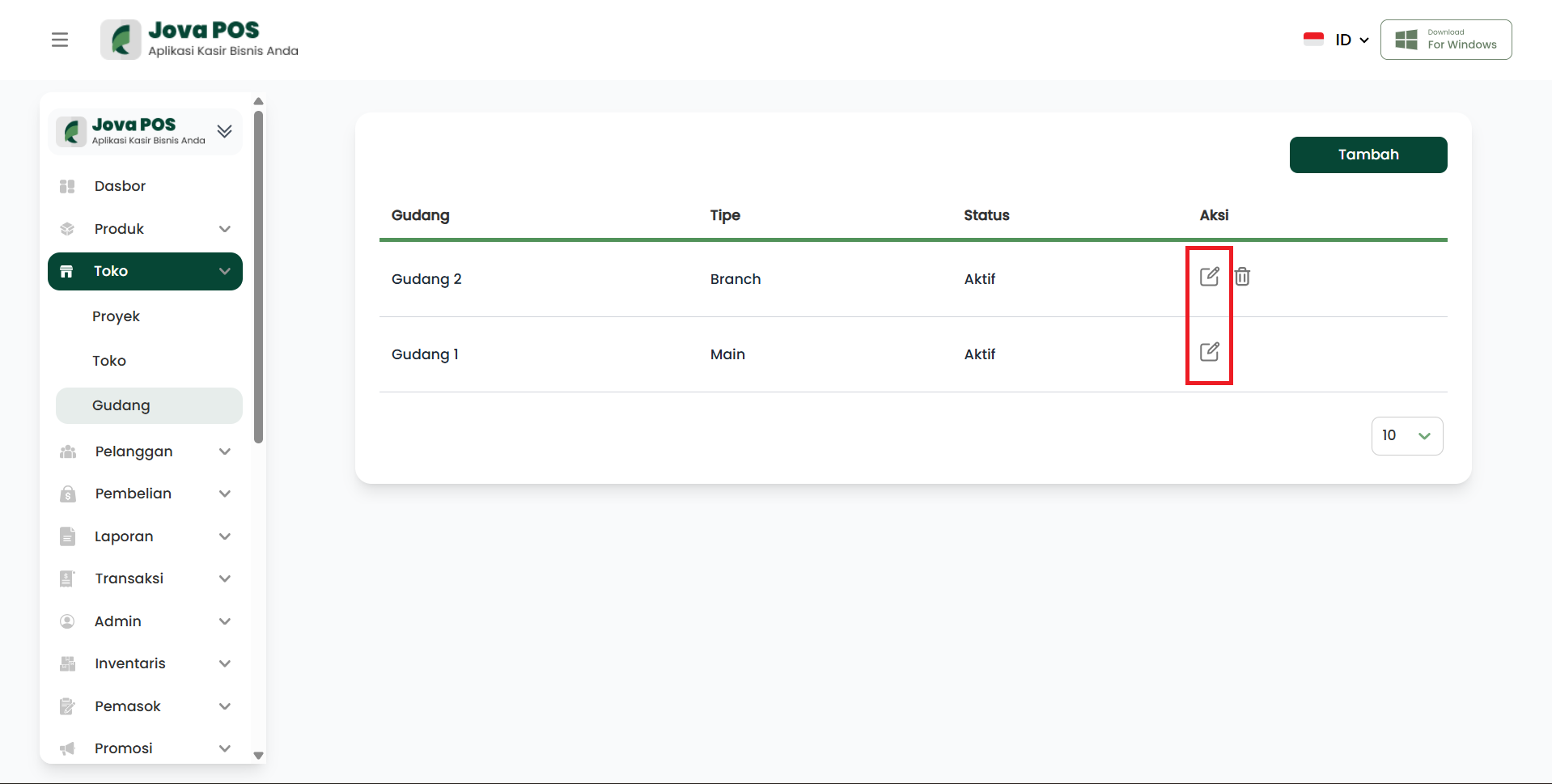
Each registered warehouse can be edited directly. To edit warehouse information, click the edit icon in the action section.
View for editing warehouse information:
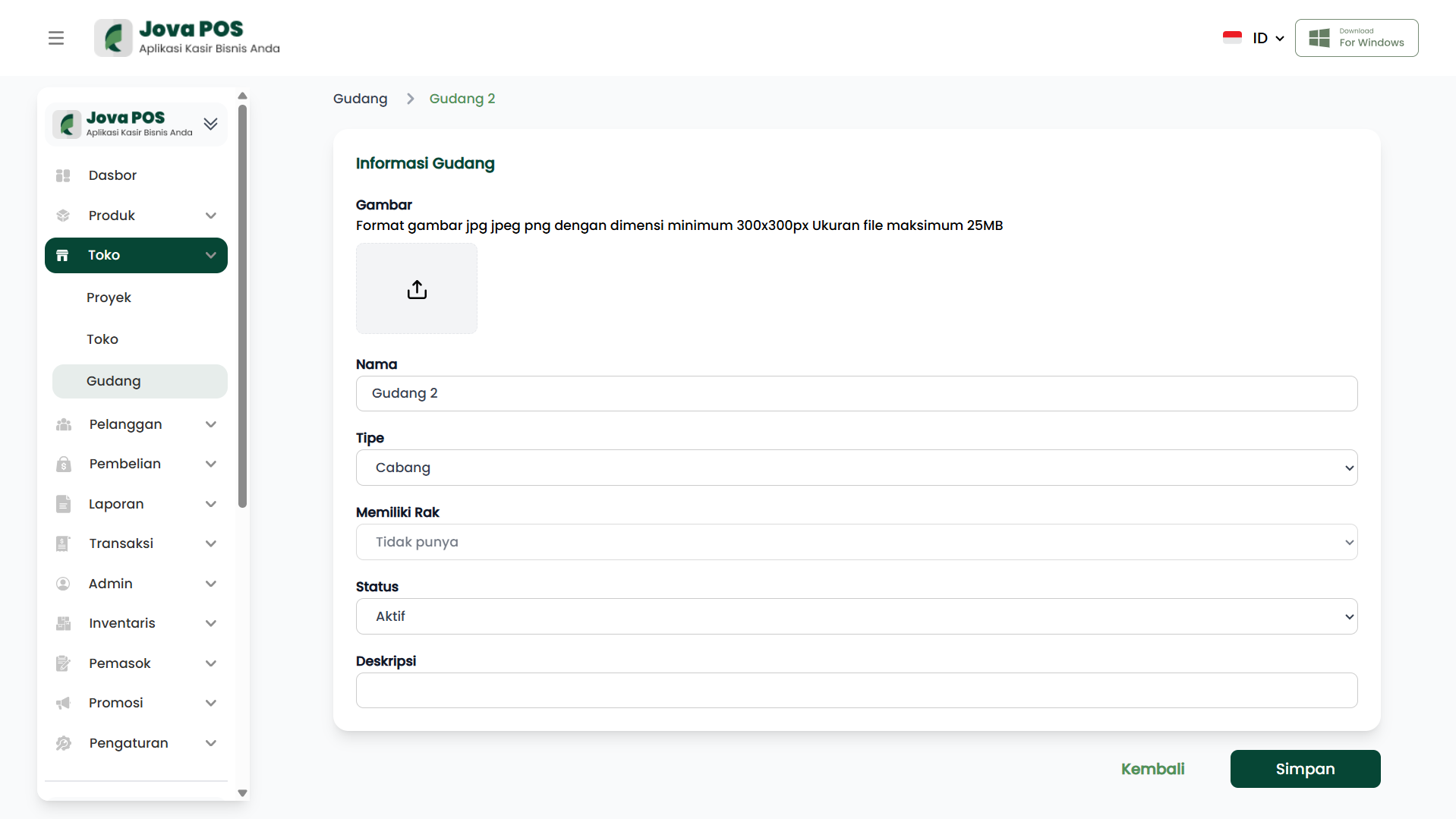
On this page, you can update the warehouse name, warehouse type, whether the warehouse has shelves, and the warehouse status.
3. Adding a New Warehouse
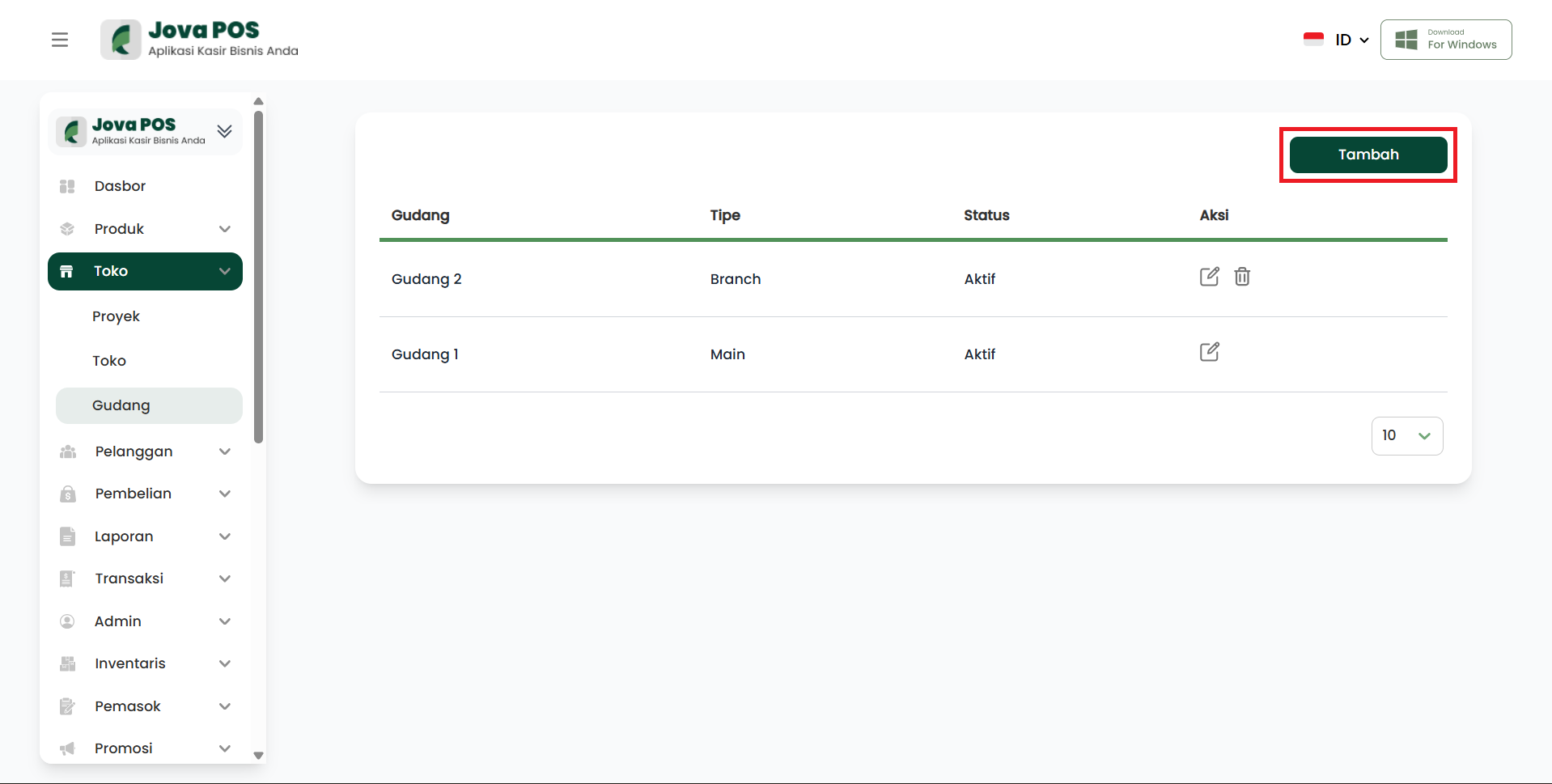
If you want to add a new warehouse, click the Add button at the top right of the Warehouses page.
View for adding a warehouse:
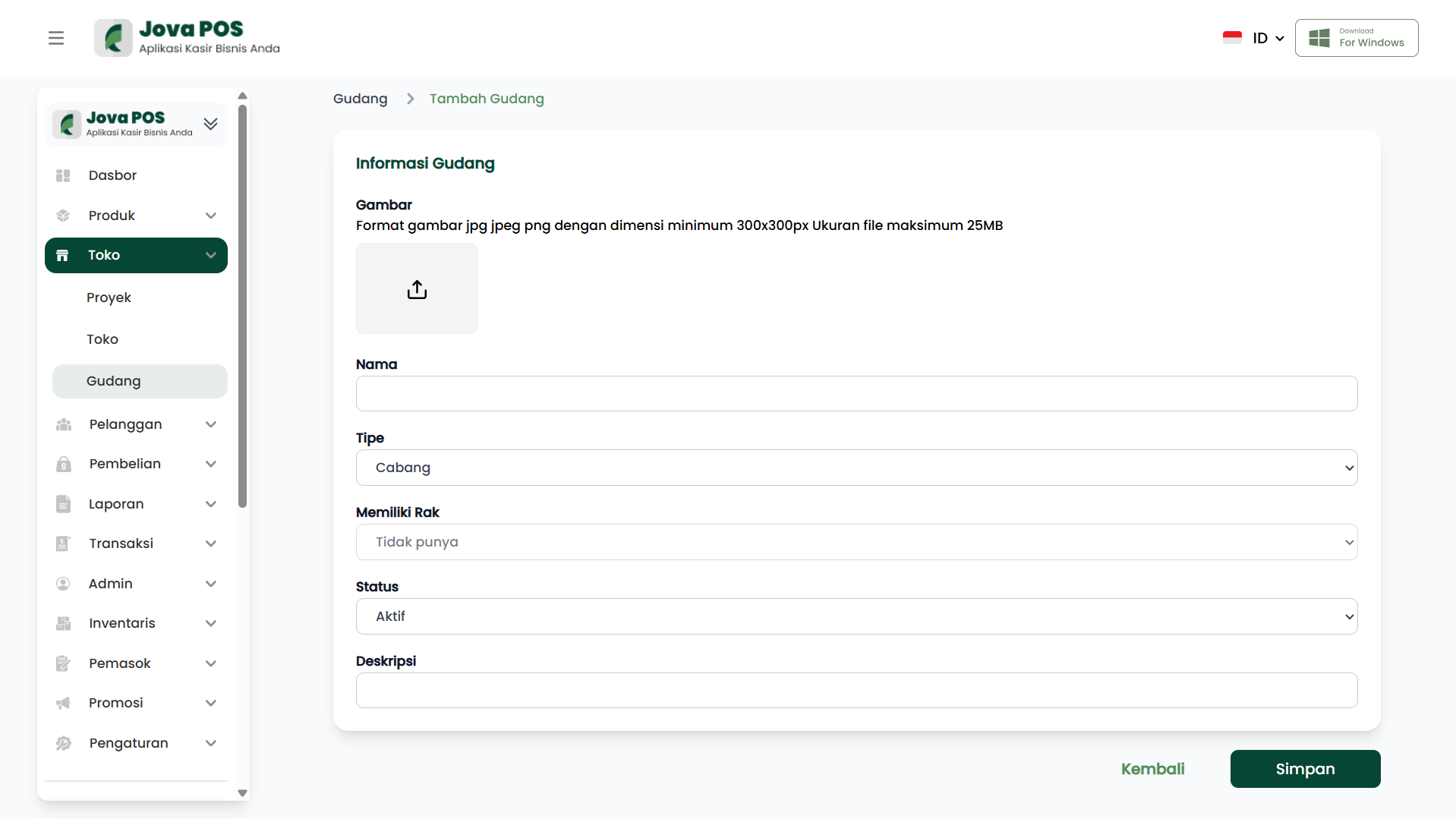
Form fields to fill in:
- Warehouse Name: The name to be used to identify the warehouse.
- Warehouse Type: Determine whether the warehouse is a branch or main.
- Has Shelves: Select whether this warehouse has shelves or not.
- Status: Determine the warehouse status (Active or Inactive).
After all information is filled in, click the Save button to save the new warehouse data.
Benefits of Using Warehouses
- Organize Storage Locations: Makes it easier to arrange and monitor items in the warehouse.
- Monitor Warehouse Status: By monitoring active or inactive status, users can know which warehouses are available for managing goods.
- Shelf Management: Setting whether the warehouse has shelves or not will help in managing items more neatly.
Conclusion
The Warehouses feature in JOVA POS gives you full control over goods storage locations and makes warehouse management easier, whether for the main branch or other branches. By using this feature, users can be more efficient in managing stock and distributing goods between warehouses.
Troubleshooting
- Warehouse Not Found: Make sure you have added the warehouse correctly and activated its status.
- Shelf Setting Error: If you cannot see shelves, make sure the "Has Shelves" option is selected correctly.